



-
Posts
478 -
Joined
-
Last visited
-
Days Won
54
Content Type
Profiles
Forums
Articles
Store
Blogs
Downloads
Events
Gallery
Posts posted by Lisi4ka
-
-
Инструкция на двух языках (русская и английская) | Instructions in two languages (Russian and English)
для русской версии прокрутите вниз | for the Russian version, scroll down

[English]
How to activate the key that you received when buying or distributing!
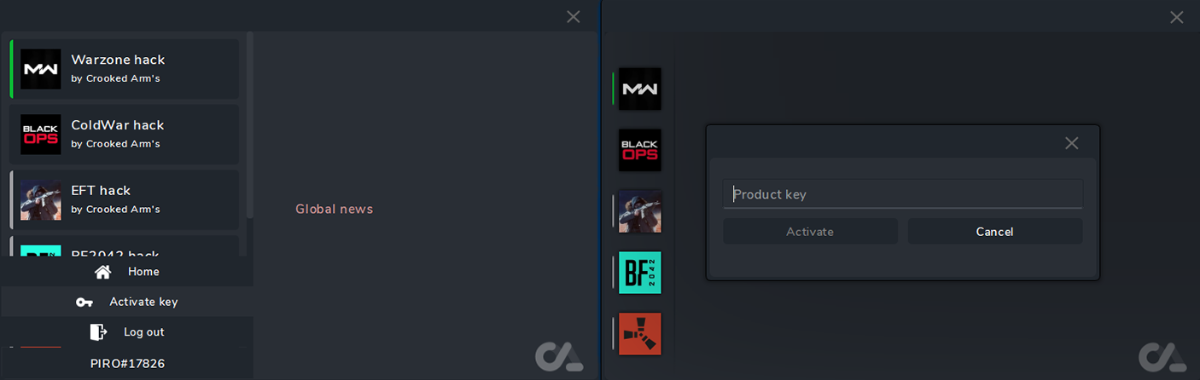
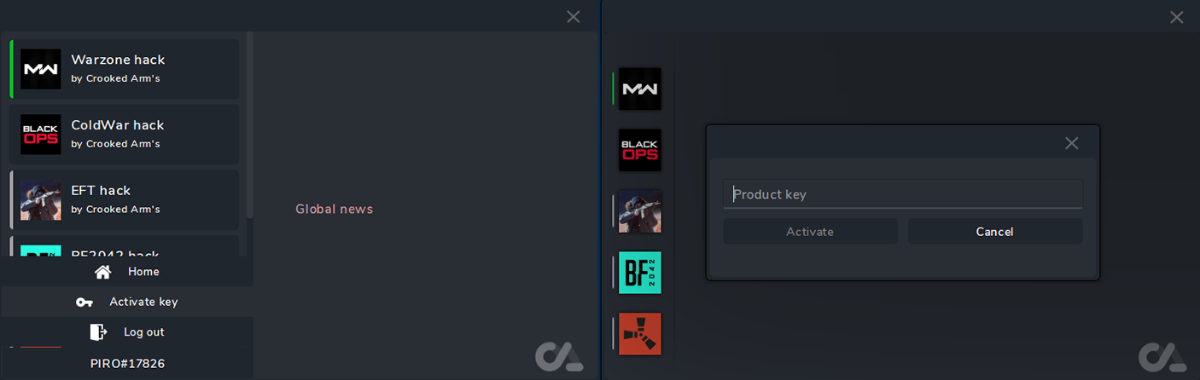
- Insert the key into the specified field
- Next, click Activate
- The key is activated automatically
- Have a nice game
[Русский]
СпойлерКак активировать ключ который вы получили при покупке или раздаче!
- Вставляем ключ в указанное поле
- Далее жмем Activate
- Ключ активируется автоматически
- Приятной игры
-
-
1 час назад, extreed сказал:
нет, у меня есть пинг макс 120 во время лобби
try to look for another card, this is also a kind of probably shadouban, or maybe you have something with the Internet
-
3 часа назад, extreed сказал:
Привет, я не могу найти игру, если у меня есть обман ,
в зоне боевых действий ? Какая-нибудь помощь или совет ?
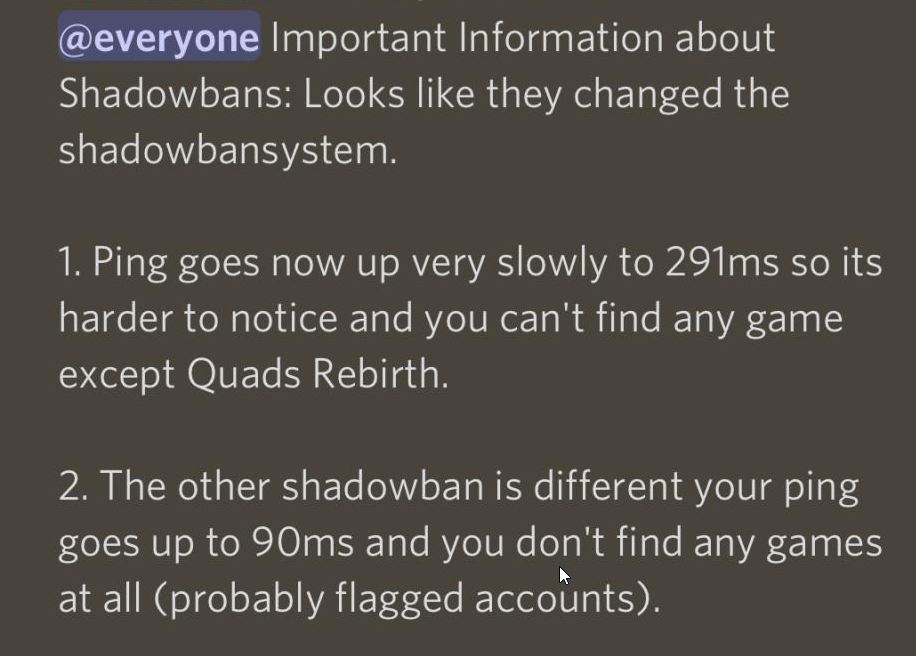
if you have a ping when searching for 350, then you have a shadowban. you need to wait 3-10 days and it will be removed. if you play on other accounts, then you need a Spoofer
-
🇷🇺 Инструкция: Настройка контроллеров, геймпадов и джойстиков
1. Что понадобится
-
Контроллер / геймпад / джойстик (подключается по USB или Bluetooth)
-
Одна из программ для назначения клавиш:
-
DS4Windows (для DualShock/DualSense от PlayStation)
-
JoyToKey (универсальная для любых контроллеров)
-
AntiMicro (простая и бесплатная альтернатива)
-
🇺🇸 Guide: Setting Up Controllers, Gamepads, and Joysticks
1. What You Will Need
-
Controller / Gamepad / Joystick (connect via USB or Bluetooth)
-
One of the programs for key mapping:
-
DS4Windows (for DualShock/DualSense from PlayStation)
-
JoyToKey (universal for any controller)
-
AntiMicro (simple and free alternative)
-
DS4Windows
Спойлер🇷🇺 Настройка через DS4Windows
-
Подходит для геймпадов DualShock 4 / DualSense (PS4/PS5).
-
Скачайте DS4Windows с официального сайта.
-
Запустите установку → программа предложит установить драйверы, нажмите Install.
-
Подключите контроллер (по USB или Bluetooth).
-
В DS4Windows появится ваш геймпад в списке.
-
Нажмите Edit на найденном устройстве.
-
Появится схема геймпада → кликните на кнопку, которую хотите привязать.
-
Назначьте нужную клавишу клавиатуры (например, Right Mouse Button для аима).
-
Сохраните профиль → теперь нажатие кнопки геймпада будет работать как клавиша клавиатуры.
🇺🇸 Setting Up DS4Windows
-
Works with DualShock 4 / DualSense (PS4/PS5) controllers.
-
Download DS4Windows from the official website.
-
Run the installer → the app will prompt you to install drivers, click Install.
-
Plug in your controller via USB or Bluetooth.
-
Your controller will appear in DS4Windows.
-
Click Edit on the detected controller.
-
A full controller diagram will appear → click the button you want to bind.
-
Assign a keyboard key (for example, Right Mouse Button for aim).
-
Save the profile → now pressing the controller button will act like a keyboard key.
JoyToKey
Спойлер🇷🇺 Настройка через JoyToKey
-
Работает с любым геймпадом или джойстиком.
-
Скачайте JoyToKey и запустите программу.
-
Подключите контроллер.
-
Нажмите любую кнопку на геймпаде → в программе загорится соответствующая строка.
-
Дважды кликните на строку → выберите клавишу клавиатуры или действие мыши, которое хотите назначить.
-
Сохраните профиль.
-
Теперь кнопки будут работать как клавиши клавиатуры или комбинации с мышью.
🇺🇸 Setting Up JoyToKey
-
Works with any controller or joystick.
-
Download JoyToKey from the official website and launch the program.
-
Connect your controller.
-
Press any button on the controller → the corresponding input will be highlighted in JoyToKey.
-
Double-click the highlighted input → assign a keyboard key or mouse action to it.
-
Save the profile.
-
Now the controller buttons will work as keyboard keys or mouse actions.
AntiMicro
Спойлер🇷🇺 Настройка через AntiMicro
-
Скачайте AntiMicro с официального сайта и запустите программу.
-
Подключите ваш контроллер или джойстик (по USB или Bluetooth).
-
В главном окне AntiMicro отобразится схема геймпада с кнопками.
-
Нажмите на любую кнопку на контроллере → соответствующая кнопка в интерфейсе AntiMicro подсветится.
-
Кликните на подсвеченную кнопку → выберите клавишу клавиатуры или действие мыши, которое хотите назначить.
-
Повторите процесс для всех нужных кнопок.
-
Сохраните профиль → теперь нажатия кнопок на геймпаде будут работать как клавиши клавиатуры или мыши.
🇺🇸 Setting Up AntiMicro
-
Download AntiMicro from the official website and launch the program.
-
Connect your controller or joystick via USB or Bluetooth.
-
In the main AntiMicro window, a diagram of the gamepad with buttons will appear.
-
Press any button on the controller → the corresponding button in the AntiMicro interface will be highlighted.
-
Click on the highlighted button and choose the keyboard key or mouse action you want to assign.
-
Repeat the process for all necessary buttons.
-
Save the profile → now pressing the buttons on the gamepad will work like keyboard keys or mouse actions.
-
-
TEMP folder
in FAQ
нструкция на двух языках (русская и английская) | Instructions in two languages (Russian and English)
для русской версии прокрутите вниз | for the Russian version, scroll down
[English]
Temp folder location
- C:\Users\User Name\AppData\Local\Temp
Where is the Temp folder located
The easiest way to launch a dialog box is to use the Win+R keyboard shortcut. In the window that opens, it remains to enter the command - %TEMP%. A folder with temporary files for the current user will be displayed on the screen.
Why do I need to clear the TEMP folder
- if you have saved the settings (and they have stopped loading)
- you want to return the menu settings to their original state
[Русский]
СпойлерРасположение папки Temp
- C:\Users\Имя пользователя\AppData\Local\Temp
Где находится папка Temp
Самый простой способ запуска диалогового окна — использовать сочетание клавиш Win+R. В открывшемся окошке остается ввести команду — %TEMP%. На экран будет выведена папка с временными файлами для текущего пользователя.
Для чего нужно очистить папку ТЕМП
- если вы сохранили настройки (и они перестали у вас загружаться)
- хотите вернуть настройки меню в первоначальное состояние
-
Инструкция на двух языках (русская и английская) | Instructions in two languages (Russian and English)
The video shows a demo view of the launch and so on
A more detailed launch is spelled out in the text instructions below the videoВ видеоролике продемонстрирован демонстрационный вид запуска и прочее Более детальный запуск прописан в текстовой инструкции ниже видеоВерсия 2
Спойлер[English] Launch Instructions
We remind you that you must understand what you are doing when playing with the software !!!
- You purchase and use the software at your own risk.
- The Undetected status does not guarantee 100% protection against blocking (with any cheat in any game, a ban is possible).
- If the update is in the game, wait for the software update.
- By purchasing this software, you agree with the rule that in case of a defect or complete closure of the project, you will not receive a refund!
- By purchasing this software, you agree to the rule that if you block the game account, you will not receive a refund!
This software uses unique identifiers of your " hardware"
- 1 account =1 PC ( Example: when you first start the program, your account is linked to the current PC, further use of the same account on another PC is not possible)
- if you do use a spuffer.. first log in to the launcher, and then launch the spoofer( you need to restart your PC before that)
- If you are using a spoofer, disable it and restart the computer
- Error "Hardware component has changed"
SYSTEM REQUIREMENTS:
- Supported processors: Intel, AMD
- Supported OS: Windows 10- 11 x64
- Supported builds: 1903(18362), 1909(18363), 2004(19041), 20H2 (19042), 21H1(19043), 21H2(19044), 22H2 (19045), 21H2 (22000), 22H2 (22621), 23H2 (22631)
** How to find it ...
   Press the key combination Win + R, insert the WINVER command into the field, and press Ok.
Additional Information:
Project Type: External
Game Mode: Windowed, Borderless
Supported game version: Steam
Supported anti-cheats: BattleEye
Support for invisibility on videos or screenshots, screen demonstrations: YesHWID SPOOFER - Not built into the software! Purchased separately!
* The performance of the cheat with other SPOOFER is not guaranteed!!!How to run in full screen? Read here: Read more
Scale in the system and in the game : 100%For the software to work correctly, you need to install and remove a number of programs
СпойлерIt is recommended to install
- Redistributable packages Visual C++ 2008-2019
- DirectX
DISABLE or REMOVE MANDATORY
- Disable antivirus( Remove!!! )
- Disable SmartScreen How to disable
- Disable Windows Defender How to disable
Additionally
- Remove FaceIt and Vanguard How to disable
FaceIt this is anti-cheat CS:GO
Vanguard this is anti-cheat Valorant
Additionally (if an error occurs)
- Enable VT-x, SVM in BIOS
- Disable Hyper-V
- Disable Secure boot in BIOS
** Links are clickabl
IMPORTANT ignoring these actions will lead to a ban!!!
- Before starting the cheat, close the Game and the game launcher!
- If you have previously run any cheats, restart your PC! (restart pc before using another cheat)
- Close the software launcher before launching the game!
START-UP INSTRUCTIONS
Read the instructions carefully!!
Launcher PUBG :
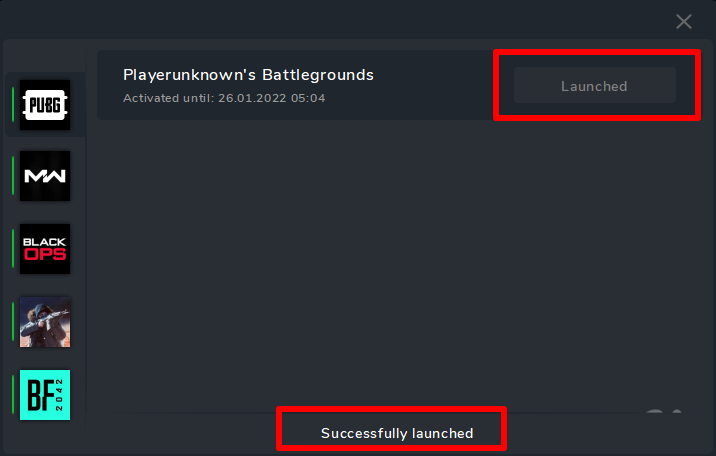
1. Launch Launcher2. Select software PUBG and click Launch3. If successful, a message appears successfully launched and Launched button.
* If something goes wrong, you will receive an error and the cheat will not be loaded into the system!
4. Close Launcher
5. Start the game
6. The cheat menu opens with the "HOME" key
7. Enjoy your game.СпойлерIf you launched the program, but there is no menu, then you did not follow the instructions.
1. Check the system requirements for the software.
2. Check whether the software launched successfully.
3. Check the window mode requirements.
4. Check that all instructions have been followed.
5. Read the instructions, restart your PC and try again.If you follow everything written in the instructions, this is a 100% guarantee of successful launch of the software.
- The menu is not called up using the HOME key** try launching the on-screen keyboard (so that you have a different key combination).
IF YOU HAVE SOMETHING THAT DOES NOT START, CONTACT YOUR SELLER FOR HELP.
[Русский] Инструкция по запуску
Напоминаем что вы должны понимать на что идете играя с софтом!!!
- Софт вы приобретаете и используете на свой страх и риск.
- Статус Undetected не гарантирует 100% защиту от блокировок(с любым читом в любой игре возможен бан).
- Если обновление в игре дождитесь обновления софта.
- Покупая данное ПО, вы соглашаетесь с правилом, что при детекте или полном закрытии проекта вы не получите возврат денежных средств!
- Покупая данное ПО, вы соглашаетесь с правилом, что при блокировке игрового аккаунта вы не получите возврат денежных средства!
Данное ПО использует уникальные идентификаторы вашего "железа"
- 1 учетка =1 пк ( Пример: при первом запуске программы ваша учетная запись привязывается к текущему ПК, дальнейшее использование той же учетной записи на другом ПК не возможно)
- Если вы используете спуфер отключите его и перезапустите компьютер
- Если вы всё-таки используете спуфер.. сначала авторизовываетесь в лаунчере, а потом запускаете спуфер( требуется перед этим перезагрузка пк)
- Ошибка "Hardware component has changed"
Требования к системе:
Поддерживаемые процессоры: Intel, AMD
Поддерживаемые ОС: Windows 10-11 х64
Поддерживаемые сборки: 1903(18362), 1909(18363), 2004(19041), 20H2 (19042), 21H1(19043), 21H2(19044), 22H2 (19045), 21H2 (22000), 22H2 (22621), 23H2 (22631)**Как ее узнать.... Нажимаем сочетание клавиш Win+R, вставляем в поле команду WINVER , и нажимаем Ok.
Дополнительная информация:
Тип проекта: External
Режим игры: Оконный ,Без рамокКак запустить в полном экране? Читаем тут Подробнее
Поддерживаемая версия игры: Steam
Поддерживаемые анти-читы: BattleEye
Поддержка невидимости на видео или скриншотах, демонстрации экрана: ДаHWID SPOOFER - В софт не встроен! Покупается отдельно!
*Работоспособность чита с другими спуфферами не гарантируется!!!Масштаб в системе и в игре: 100%
Для корректной работы софт необходимо установить и удалить ряд программ
СпойлерРекомендуется установить
- Распространяемые пакеты Visual C++ 2008-2019
- DirectX
ОТКЛЮЧИТЬ или УДАЛИТЬ ОБЯЗАТЕЛЬНО
-
Отключить антивирус (Удалить!!!)
-
Отключить SmartScreen
-
Отключить защитник Windows
Дополнительно
- Удалить FaceIt и Vanguard подробнее
FaceIt - это отдельный античит игры CS:GO
Vanguard - это античит игры Valorant
Дополнительно (при возникновении ошибки)
- Включить VT-x , SVM в BIOS
- Отключить Hyper-V
- Отключить Secure boot в BIOS
**Ссылки кликабельны
ИНСТРУКЦИЯ ПО ЗАПУСКУ
Прочтите внимательно инструкцию!!
ВАЖНО Пренебрежение данных действий приведет к бану!!!
- Перед запуском чита закройте Игру и лаунчер игры!
- Если вы ранее запускали какие-либо читы, перезагрузите свой компьютер!(перезагрузите компьютер перед использованием другого чита)
- Закрыть лаунчер софта перед запуском игры!
- Запустить Launcher
- Зарегистрироваться в Launcher
- Активировать ключ
Запуск PUBG
1. Запустите Launcher
2. Выберите софт PUBG и нажмите Launch
3. В случае успешного выполнения появится сообщение successfully launched и кнопка Launched
* Если что то пойдет не так вам выдаст ошибку и чит не будет загружен в систему!
4. Закроейте Launcher
5. Запустите игру
6. Меню чита открывается клавишей "HOME"
7. Приятной игры.СпойлерЕсли у вас инжект удачный, но нет меню то :
Если вы запустили программу, но меню нет, то вы не следовали инструкции.
1. Проверьте системные требования для ПО.
2. Проверить успешность запуска ПО.
3. Проверить требования к режиму окна.
4. Проверить все ли инструкции соблюдены.
5. Прочтите инструкцию, перезапустите ПК и повторите запуск.
При соблюдении всего, что написано в инструкции, это гарантия успешного запуска ПО на 100%.- Меню не вызывается по клавише HOME** попробуйте запустить экранную клавиатуру (чтобы у вас была другая комбинация клавиш).
ЕСЛИ У ВАС, ЧТО-ТО НЕ ЗАПУСКАЕТСЯ, ОБРАТИТЕСЬ К СВОЕМУ ПРОДАВЦУ ЗА ПОМОЩЬЮ.
Еrror | Ошибки
Спойлер -
Functional
in PUBG
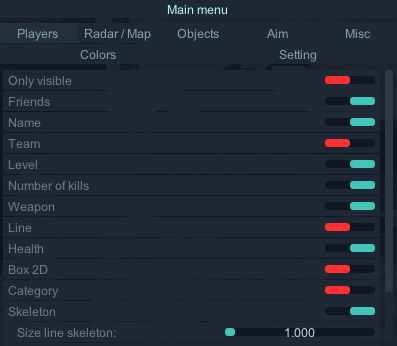
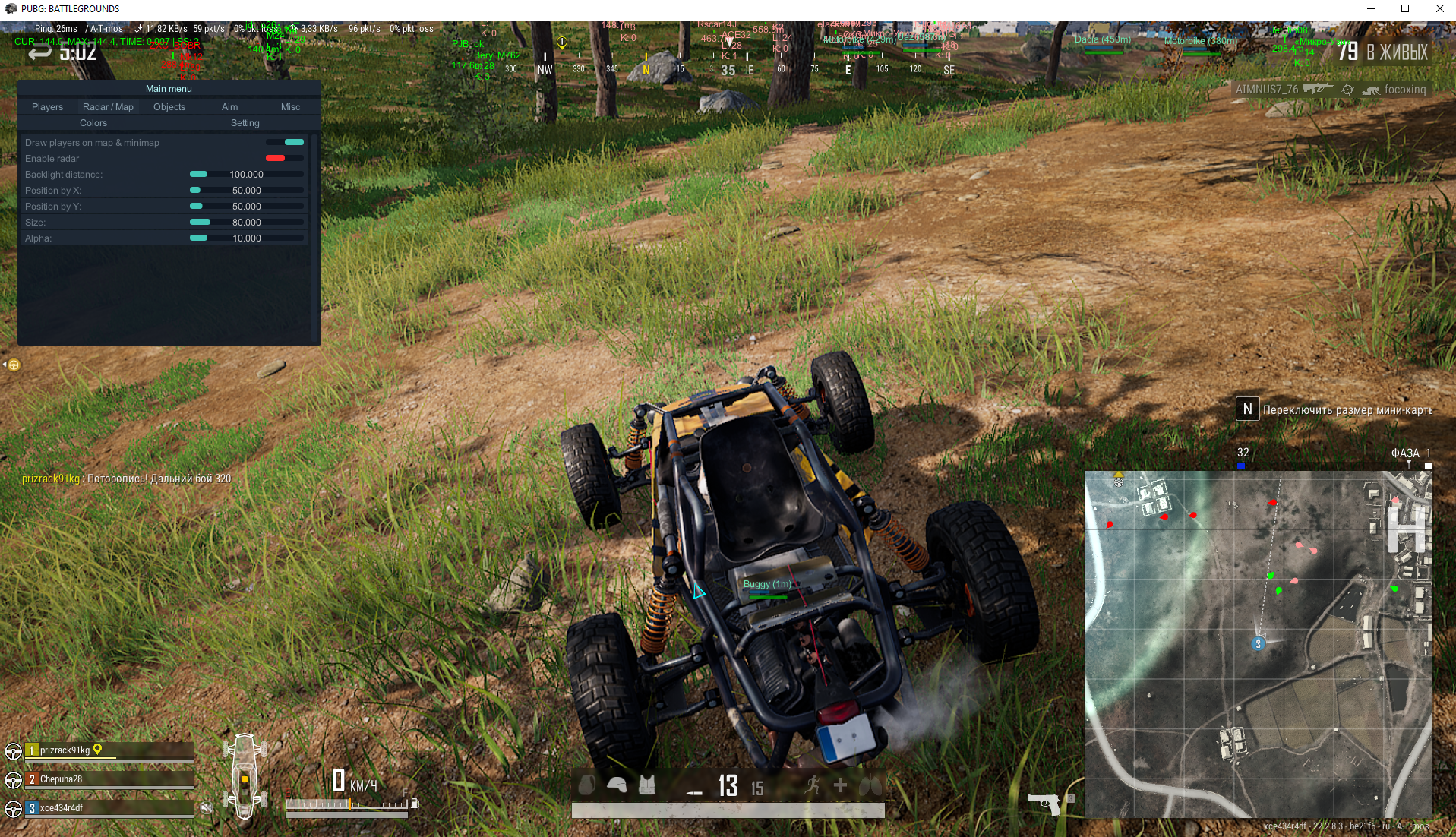
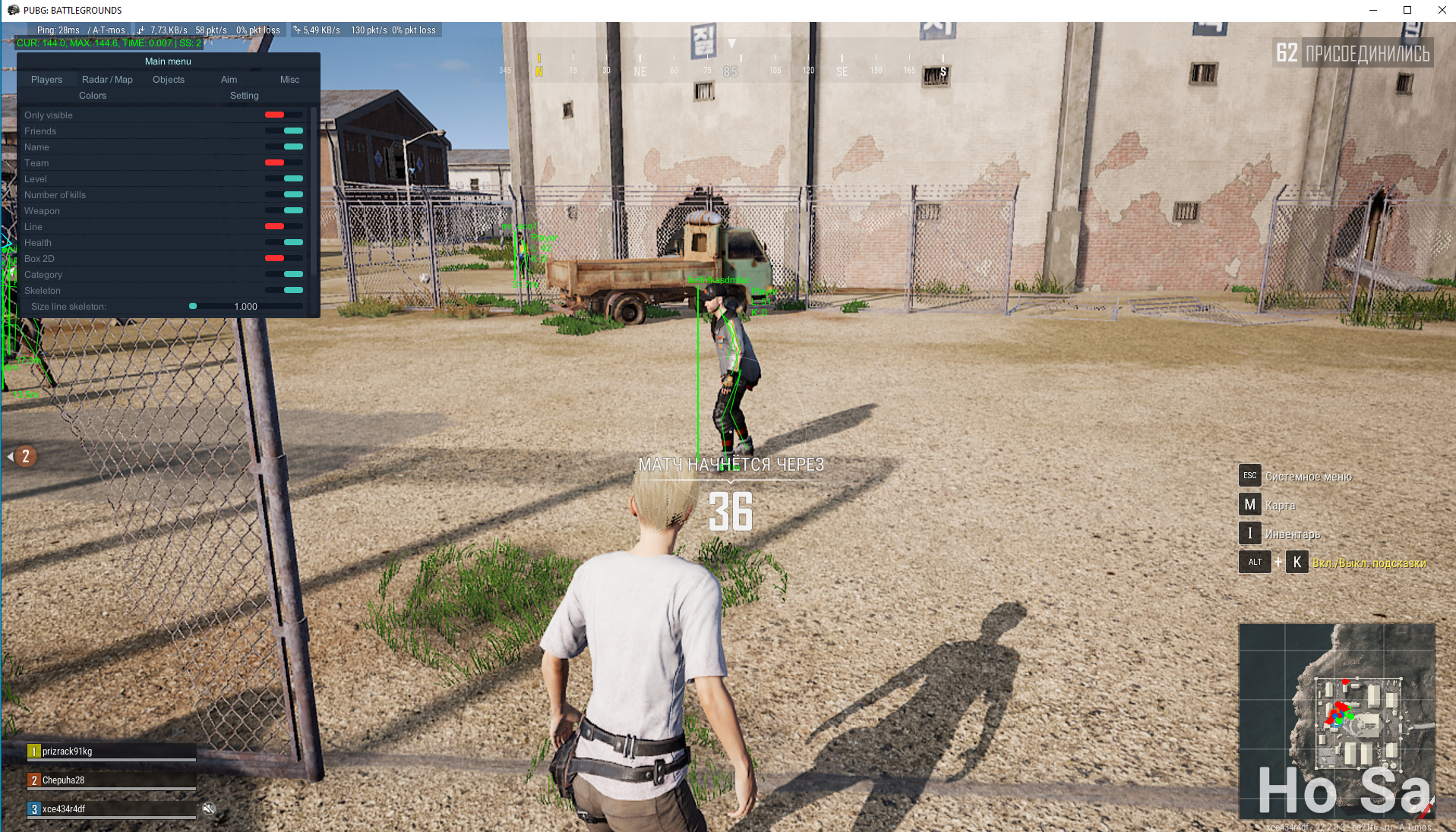
Players
Only visible (Только видимые)
Friends (Друзья)
Name (Имя)
Team (Команда)
Level (Уровень игрока)
Number of kills ( Кол-во убийств)
Spectators (Зрители)
Weapon (Оружие)
Line (Линии)
Health (Здоровье)
Box 2D (Боксы )
Category (Категория)
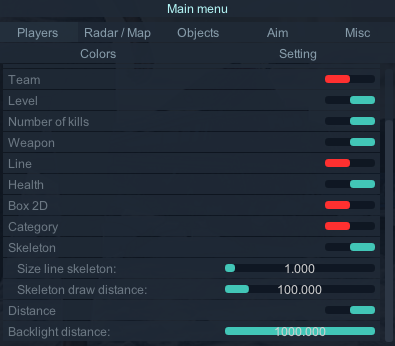
Skeleton (Скелеты(с учетом видимости)
Size line skeleton: (Размер скелета(1-3))
Skeleton draw distance: (Дальность рисования скелета)
Distance (Дистанция)
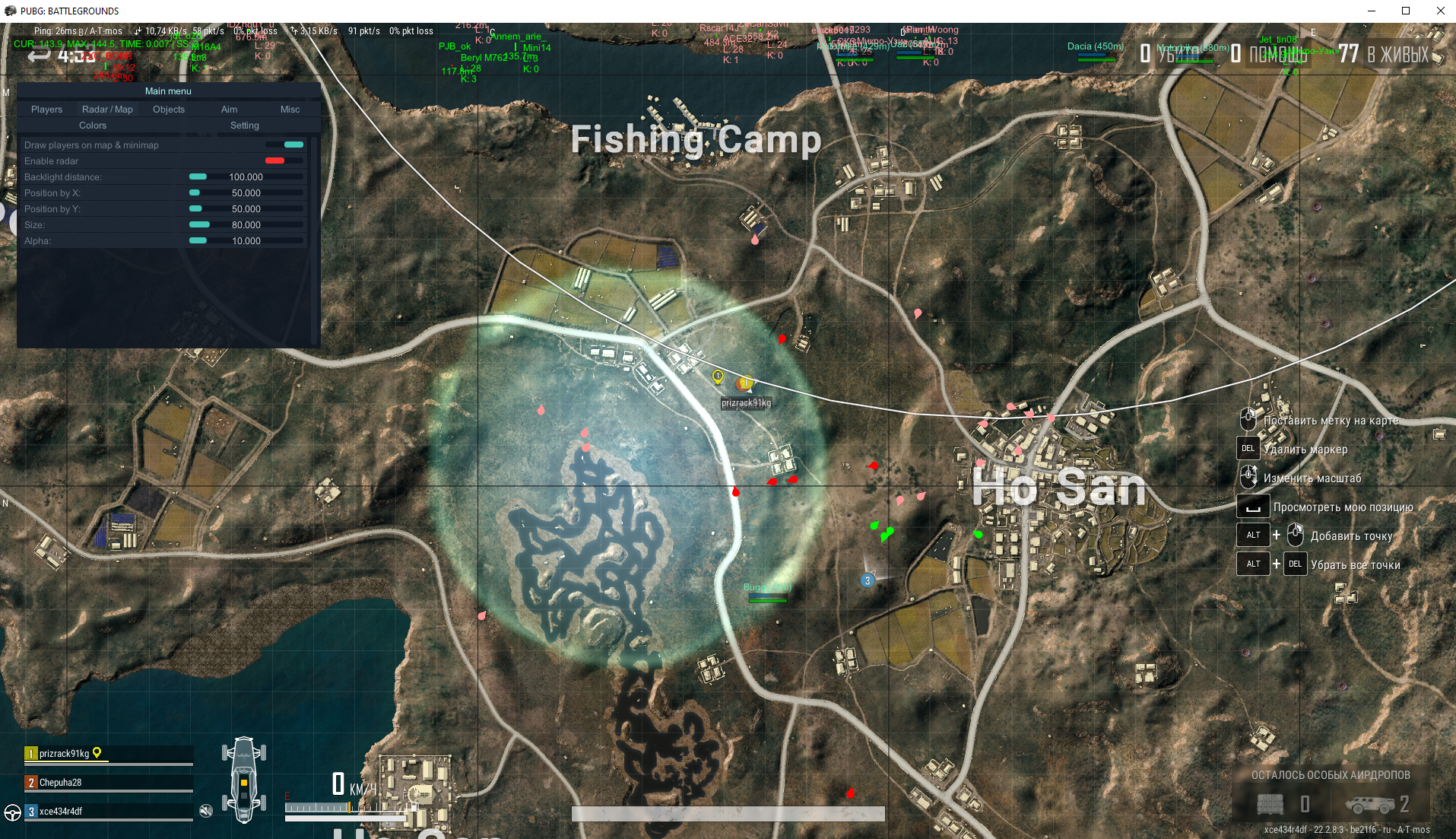
Backlight distance: (Дальность подсветки (от 10м до 1000м))Radar
Draw players on map & minimap
Enable radar
Backlight distance:
Position by X:
Position by Y:
Size:
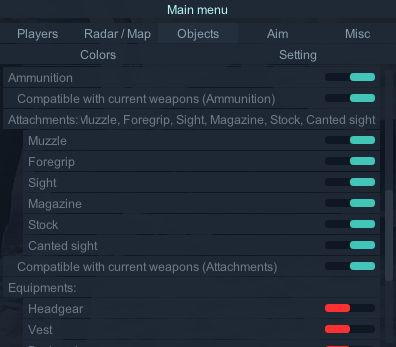
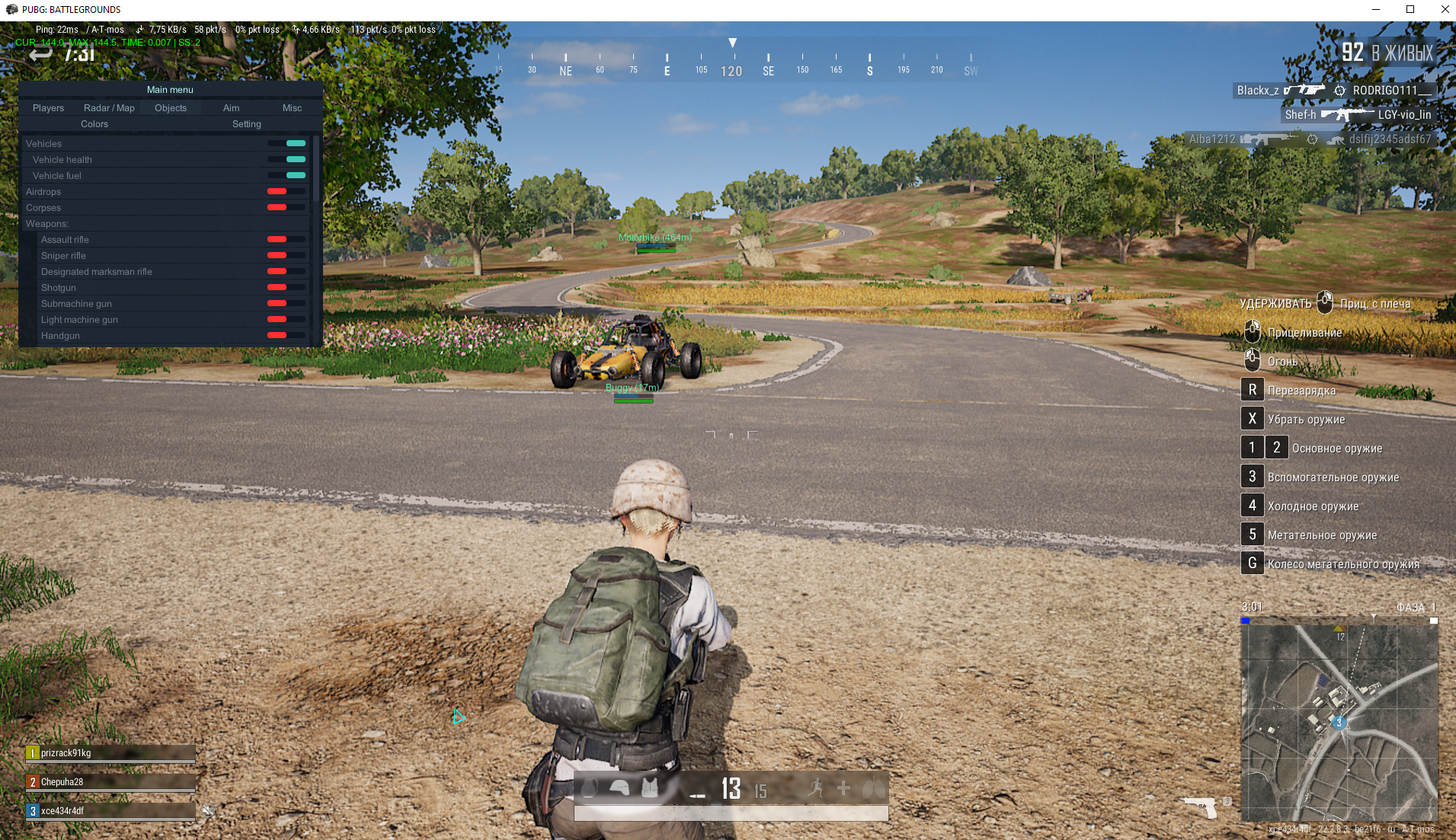
Alpha:Objects (Loot)
Vehicles (Транспорт)
Vehicle fuel (Автомобильное топливо)
Vehicle health (Состояние автомобиля)
Airdrops (Аирдроп)
Corpses (Трупы)
Weapons: (Оружие)
Assault rifle (Штурмовая винтовка)
Sniper rifle (Снайперская винтовка)
Designated marksman rifle (marksman винтовка)
Shotgun (Дробовик)
Submachine gun (Пистолет-пулемет)
Light machine gun (Легкий пулемет)
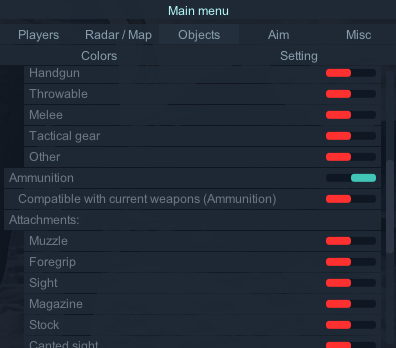
Handgun (Пистолеты)
Throwable (Гранаты)
Melee (Холодное оружие)
Tactical gear (Тактическое снаряжение)
Other (Остальное)
Ammunition (Боеприпасы)
Compatible with current weapons (Ammunition) (Совместимые боеприпасы к текущему оружию)
Attachments ( Модули)
Muzzle (Дуло)
Foregrip (Цевье)
Sight (Прицел)
Magazine (Магазин)
Stock (Приклад)
Canted sight (Боковой прицел)
Compatible with current weapons (Attachments ) (Совместимые модули к текущему оружию)
Equipments: (Экипировка)
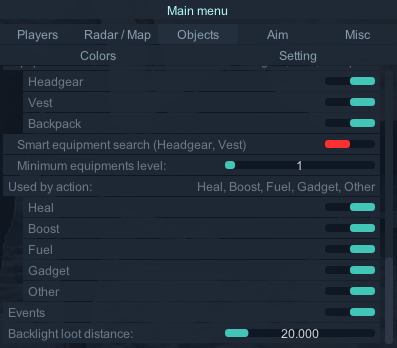
Headgear (Шлем)
Vest (Жилет)
Backpack (Рюкзак)
Smart equipment search (Headgear, Vest) (Умный поиск экипировки**)
Minimum equipments level: (Минимальный уровень экипировки-включение данной функции дает возможность подсветки заданного уровня экипировки и выше)
Used by action: (Используемое)
Heal (Медицина)
Boost ( Повышение(энергетик, адреналин и т.д)
Fuel (Топливо)
Gadget (Гаджет)
Other (Остальное)
Events (Ивенты)
Backlight loot distance: (Дальность подсветки лута)**Smart equipment search (Headgear, Vest)
На вас одета экипировка определенного уровня:
Если ее прочность составляет 70% и более, будет светится экипировка уровнем выше.
Если ее прочность составляет более 40% и меньше 70%, будет светится экипировка текущего уровня и уровнем выше.
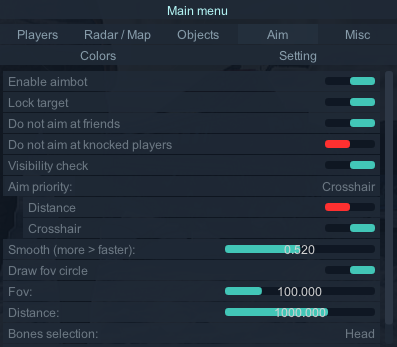
Если ее прочность составляет менее 40%, будет светится экипировка любого уровня.Aim
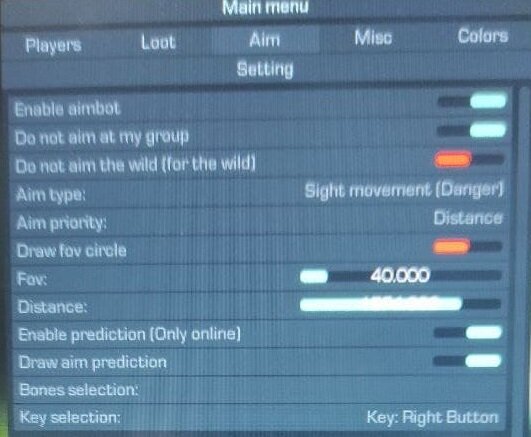
Enable aimbot (Аим (срабатывает при удержании указанной клавиши)
No sway,No recoil (Отдача и дыхание автоматически компенсируются при использовании аима. По умолчанию включено)
Lock target (Зафиксировать цель)
Do not aim at friends (Не целитесь на друзей)
Do not aim at knocked players (Не целитесь на нокаутированных)
Visibility check (Учет стен)
Aim priority: (Приоритет аима)
Distance (Дистанция)
Crosshair (Прицел)
Smooth (more > faster): (Сглаживание)
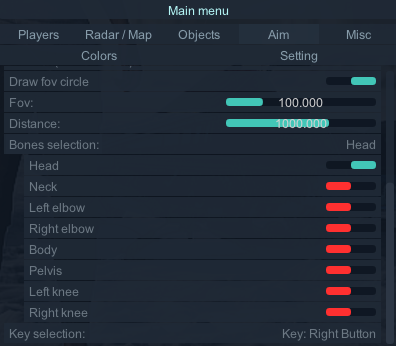
Draw fov circle (Отключение визуального круга FoV)
Fov: (Угол обзора(FOV)(зона срабатывания аима))
Distance: (Дистанция срабатывания аима)
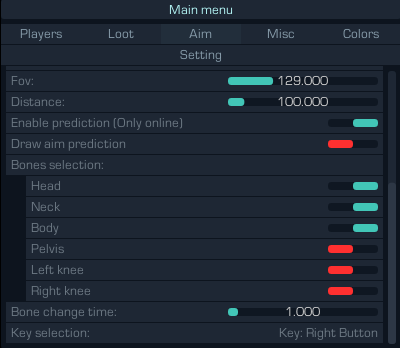
Prediction (прогнозирование выстрела По умолчанию включено)
Bones selection: ( выбор кости . вы можете выбрать 1 кость или несколько костей)
Head (голова)
Neck (шея)
Left elbow (левая рука)
Right elbow (правая рука)
Body (тело)
Pelvis (пах)
Left knee (левое колено)
Right knee (правое колено)
Bone change time: (частота смены кости)
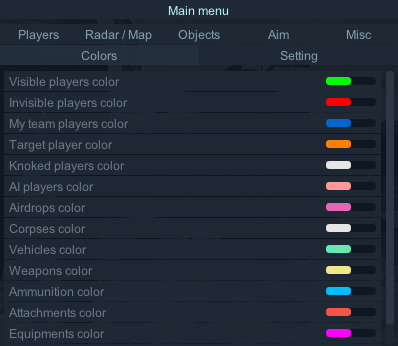
Key selection ( Выбор клавиши для работы аима) (ЛЮБАЯ НА ВАШ ВЫБОР)Colors
Visible players color
Invisible players color
My team players color
Target player color
Knoked players color
AI players color
Airdrops color
Corpses color
Vehicles color
Weapons color
Ammunition color
Attachments color
Equipments color
Use colorMisc
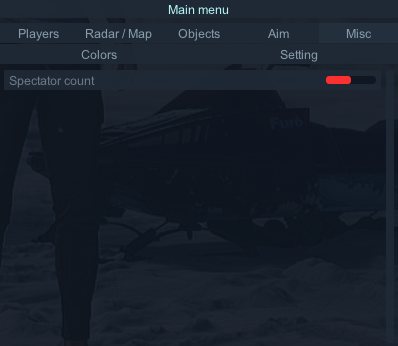
Spectator count (Количество наблюдателей)
Setting
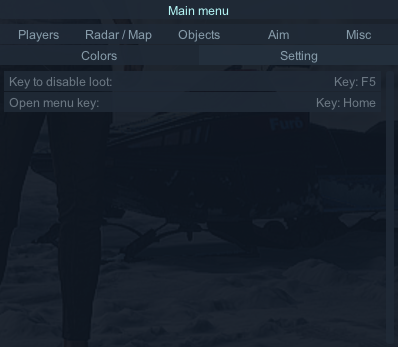
Key to disable loot:(Клавиша для отключения лута)
Open menu key: (Клавиша Открыть меню)Menu
Спойлер
Cкриншоты в игре / Screenshots in the game
Спойлер
-
 1
1
-
-
[English]
Key not found or has already been activated
If you encounter this error, it means:
- you entered the wrong key
- the key is already activated or not found
[Русский]
Ключ не найден или уже активирован
Если вы столкнулись с этой ошибкой, значит:
- вы ввели неверный ключ
- ключ уже активирован или не найден
-
[Русский] Если вы столкнулись с этой ошибкой, значит, ПРОГРАММНОЕ ОБЕСПЕЧЕНИЕ БНОВЛЯЕТСЯ!!!!
ДЛЯ ОСОБО ОДАРЕННЫХ:
ПРОГРАММНОЕ ОБЕСПЕЧЕНИЕ(ПО)- ЭТО ЧИТ(СОФТ)
и когда чит (ПО,СОФТ) на обновлении , активация ключа не доступна.ДОЖДИТЕСЬ ОБНОВЛЕНИЯ СОФТА
[English] If you encounter this error, then the SOFTWARE IS BEING UPDATED!!!!
FOR THE ESPECIALLY GIFTED: PO (SOFTWARE) IS CHIT (SOFT)
and when the cheat (software,software) is on update, key activation is not available.PLEASE WAIT FOR SOFTWARE UPDATE
Update-info:
- Discord: https://discord.gg/x4nebm9VA6
- Telegram: https://t.me/CR00KED_ARMS
-
-
44 минуты назад, freakhamster88 сказал:
hi guys, can you share your rage setting for the cheat ? thanks
what kind of game is it?
-
Почему в софте нет сохранения настроек? / why is there no saving settings in the software?
[Русский]
Спойлер
***Объясните, почему в софте нет сохранения настроек? Постоянно нужно всё заново настраивать и на это уходит много времени. Планируете добавлять сохранение настроек?
Объясняем: на данный момент хранение файлов не безопасно.
добавление планируется ... когда это будет пока под ???
[English]
***Explain why there is no saving settings in the software? You constantly need to re-configure everything and it takes a lot of time. Are you planning to add saving settings?
We explain: at the moment, file storage is not secure.
the addition is planned ... when will it be while under ???
-
All settings for loot and other things are purely individual!!!!
[English]
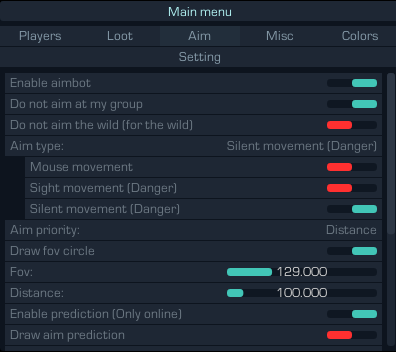
СпойлерLet 's analyze the AIM in more detail:
There are 3 types of AIM in the software
Mouse movement (mouse movement)
Sight movement (sight movement)
Silent movement (silent aim)
Now for the AIM settings
1 type of aim mouse movement (mouse movement) is SAFE, but weak!!!!
adjust the Control radius (Control radius (free zone of movement of the sight, taking into account the captured target))
- the higher the value, the easier it will be to capture the target
- the smaller the better to stick to the goal
2 and 3 type of aim Sight movement (movement of the sight) and Silent movement (silent aim)
you don't need to configure anything, they work fine themselves
Examples of settings:
fire flies in (use if van is not afraid of ban)
By aim I use 2 type of aim (Sight movement (Danger))
+ + I include the misc - Compensate all weapon effects (Danger) tab to it
Bonus selection: Head (head) or several bones
light settings
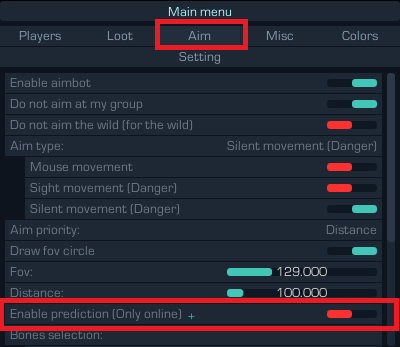
Also, if you play offline, don't forget to disable Enable prediction (Only online)
[Русский]
СпойлерРазберем более подробно АИМ:
В софте 3 типа АИМА
        Mouse movement ( передвижение мыши)
        Sight movement ( передвижение прицела)
        Silent movement ( бесшумный аим)
Теперь по настройкам АИМА
1 тип аима mouse movement (передвижение мыши) БЕЗОПАСЕН , но слабый!!!!
настраиваете Control radius (Радиус контроля(свободная зона перемещения прицела с учетом захваченной цели))
- чем больше значение тем более легитно будет захватывать цель
- чем меньше тем лучше прилипать к цели
2 и 3 тип аима Sight movement ( передвижение прицела) и Silent movement ( бесшумный аим)
настраивать ничего не нужно они сами работают отлично
Примеры настроек:
залетает огонь ( использовать если вам не страшен бан)
По аиму использую 2 тип аима (Sight movement (Danger))
+ к нему включаю вкладка misc - Compensate all weapon effects (Danger)
Bones selection: Head ( голова) или несколько костей
Немного легита
Так же если вы играете в оффлайн ,то не забудьте отключить Enable prediction (Only online)
Все настройки по луту и прочему сугубо индивидуальны!!!!
-
Инструкция на двух языках (русская и английская) | Instructions in two languages (Russian and English)
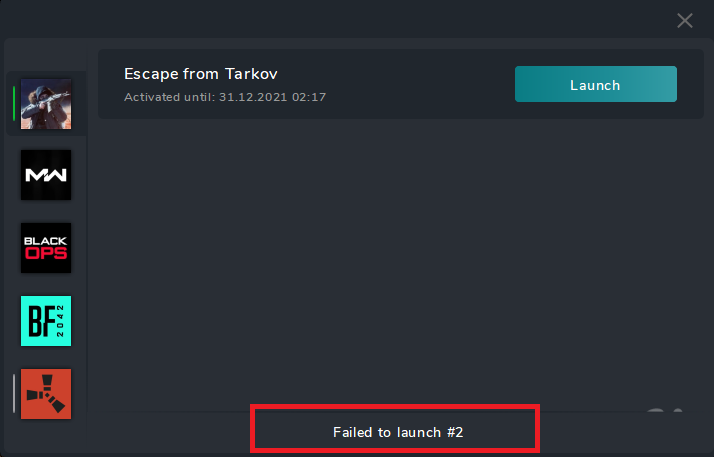
Failed to launch #2
Instructions (English)
👇 Click “Show content” to view the instructionsСпойлер⚠️ Important
The error “Failed to launch #2” occurs because something on your system is blocking the software from launching.
This is not an issue with the software, but a restriction on your side.
✅ Required steps
Please follow all steps:
-
🛑 Disable or uninstall your antivirus (uninstall is recommended)
→ Restart your PC after removal
→ Make sure no traces remain - 🛡️ Disable Windows SmartScreen
- 🔒 Disable Microsoft Defender
🔧 Additional (very important)
-
❌ Remove FACEIT Anti-Cheat and Riot Vanguard (see details here)
→ Even if they were installed before, remove all remaining files -
🌐 Use a VPN
→ If your current VPN does not work, try a different one
→ This is relevant only if all other steps are completed
⚠️ Possible conflicts
Sometimes the launch may be blocked by:
- Discord
- YouTube
- streaming/recording software
- other background applications
👉 It is recommended to close them before launching
Also, some third-party software may be incompatible and cause conflicts, preventing the software from starting.
👉 We recommend closing all unnecessary programs before launch.
💡 If the issue remains
It means something on your system is still blocking the launch.
Please review the instructions again.Инструкция (Русский)
👇 Нажмите “Показать контент”, чтобы открыть инструкциюСпойлер⚠️Важно
Ошибка “Failed to launch #2” возникает из-за того, что что-то на вашей стороне блокирует запуск софта.
Это не проблема софта, а ограничение на вашей стороне.
✅ Обязательные действия
Выполните все шаги:
-
🛑 Отключите или удалите антивирус (рекомендуется удалить)
→ После удаления перезагрузите ПК
→ Убедитесь, что не осталось следов - 🛡️ Отключите Windows SmartScreen
- 🔒 Отключите Microsoft Defender
🔧 Дополнительно (очень важно)
-
❌ Удалите FaceIt Anti-Cheat и Riot Vanguard Читаем тут Подробнее
→ Даже если они были раньше — удалите все остатки -
🌐 Используйте VPN
→ Если ваш VPN не помогает — попробуйте другой
→ Это актуально только если все остальные пункты выполнены
⚠️ Возможные конфликты
Иногда запуск программного обеспечения может быть заблокирован инструментами обхода:
- Discord
- YouTube
- программы для стриминга/записи
- другие фоновые приложения
👉 Перед запуском рекомендуется их закрыть
Также сторонние софты могут быть несовместимы и вызывать конфликт, из-за чего софт не запускается.
👉 Рекомендуется закрыть все лишние программы перед запуском.
💡 Если ошибка осталась
Значит что-то на вашем ПК всё ещё блокирует запуск.
Проверьте инструкцию ещё раз.
-
 1
1
-
🛑 Disable or uninstall your antivirus (uninstall is recommended)
-
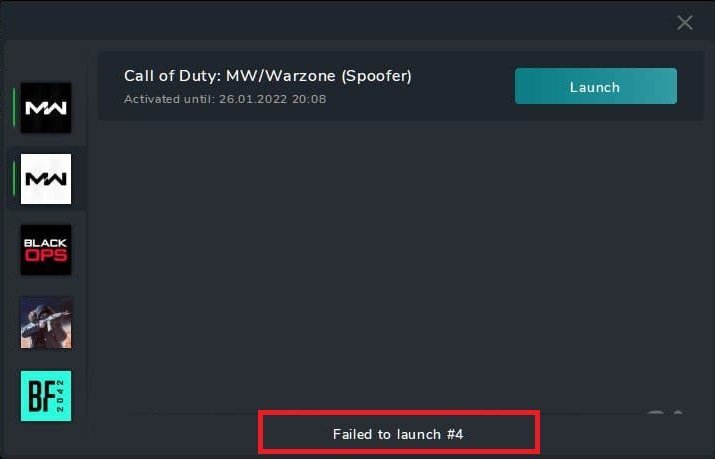
Failed to launch #4
[Русский]
1️⃣ Отключите тестовый режим Windows
-
Отключите тестовый режим (если включён).
-
Перезагрузите компьютер.
2️⃣ Включите службу «Вторичный вход в систему»
-
Нажмите Win + R.
-
Введите команду
services.mscи нажмите OK. -
В списке найдите службу «Вторичный вход в систему».
-
Щёлкните по ней правой кнопкой мыши → Свойства.
-
В поле Тип запуска выберите Автоматически.
-
Нажмите OK и закройте окно.
🧰 ❗ ОБЯЗАТЕЛЬНО отключить или удалить:
Перед запуском убедитесь, что все защитники, антивирусы и их остатки полностью отключены или удалены.
-
🛑 Антивирус (лучше удалить полностью)
➜ После удаления перезагрузите ПК убедитесь, что не осталось следов. -
🛡️ SmartScreen — отключить
-
🔒 Защитник Windows (Windows Defender) — отключить
🧹 Дополнительно
-
❌ Удалите FaceIt (античит CS:GO) и Vanguard (античит Valorant)
Если они были установлены ранее — удалите все их следы. -
🌐 Используйте VPN
-
🔁 Смените DNS, если ваш провайдер блокирует доступ
⚠️ Дополнительные рекомендации
-
Иногда запуск программ может блокироваться обходом Discord, YouTube, стрим-приложениями и другими фоновыми сервисами.
➜ Рекомендуется временно отключить их перед запуском.
[English]
1️⃣ Disable Windows Test Mode-
Turn off Test Mode (if enabled).
-
Restart your PC after disabling it.
2️⃣ Enable the “Secondary Logon” Service
-
Press Win + R.
-
Type
services.mscand click OK. -
In the Name column, find the service “Secondary Logon.”
-
Right-click it and choose Properties.
-
In the Startup type dropdown, select Automatic.
-
Click OK to save and close the window.
🧰 ❗ MUST be disabled or removed:
Before proceeding, make sure all antivirus software, security tools, and their leftovers are fully disabled or removed.
-
🛑 Antivirus — it’s best to uninstall completely!
➜ After uninstalling, restart your PC and check for any remaining traces. -
🛡️ SmartScreen — disable it.
-
🔒 Windows Defender — disable it.
🧹 Additional Steps
-
❌ Remove FaceIt (CS:GO anti-cheat) and Vanguard (Valorant anti-cheat)
If they were installed before, delete all their leftover files and services. -
🔻 Close MSI Afterburner
-
🌐 Use a VPN
-
🔁 Change your DNS if your ISP blocks access
⚠️ Extra Recommendations
-
Sometimes program launches may be blocked by bypass Discord, YouTube, streaming software, or other background services.
➜ It’s recommended to temporarily disable them before running your software.
-
 1
1
-
-
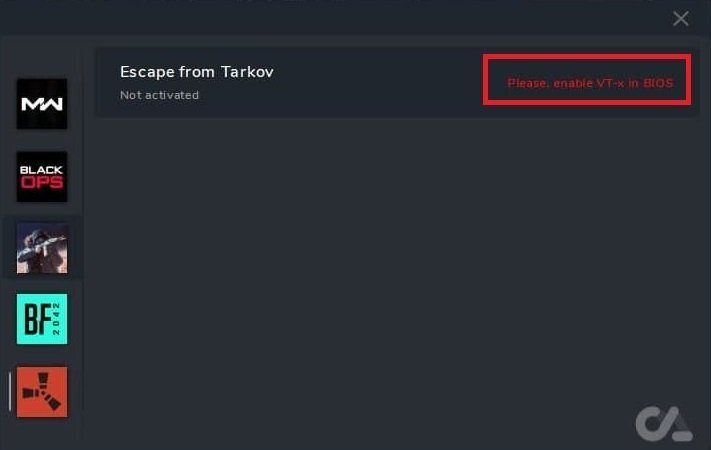
please, enable Vt-x in BIOS
[Русский]
СпойлерДанная ошибка означает что нужно включить виртуализацию (VT-x) на своем ПК
как это сделать??
В интернете много описаний,инструкций как это сделать
https://yandex.ru/search/?text=enable+Vt-x+in+BIOS+&clid=1929745&lr=48
[English]
СпойлерThis error means that you need to enable virtualization (VT-x) on your PC
how to do it??
the Internet is full of descriptions with ways to do this
-
How to play Fullscreen/Способ игры с софтом не в окне
Инструкция на двух языках (русская и английская) | Instructions in two languages (Russian and English)
[English]Спойлер✅ Supported Window Modes
Windows 11 24H2 (26100) and 25H2 (26200)
-
🔹 Windowed
-
🔹 Windowed Borderless
-
❗ Fullscreen mode is not supported
⚠️ Other Windows Versions
1903 (18362), 1909 (18363), 2004 (19041), 20H2 (19042), 21H1 (19043), 21H2 (19044), 22H2 (19045), 21H2 (22000), 22H2 (22621), 23H2 (22631)
-
🔹 Windowed
-
❗ Fullscreen mode is not supported
💡 Usage Tips
-
📌 Note: Launch the game in windowed mode. If needed, reduce the game window resolution to make the window borders visible.
-
⚠️ Please note that we cannot guarantee 100% compatibility on all devices or Windows versions.
🔗 If You Want Fullscreen Mode
You can try special methods to run the game outside of windowed mode.
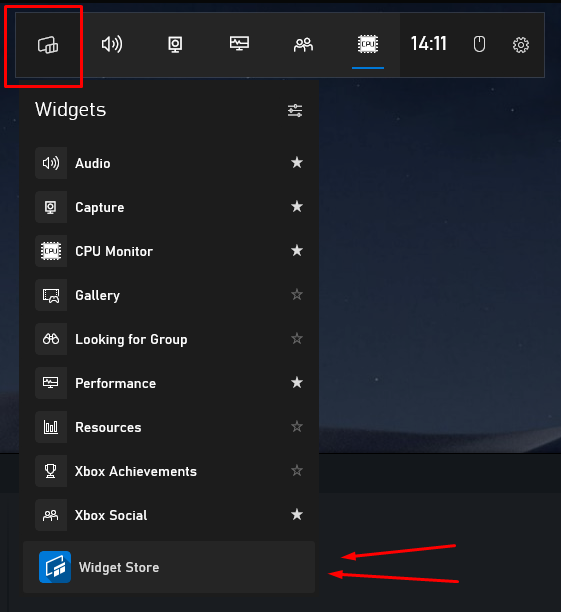
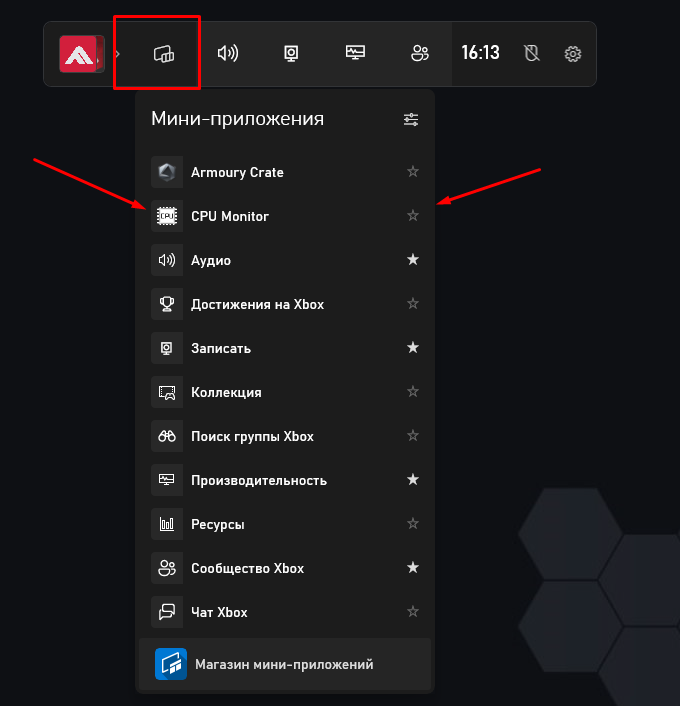
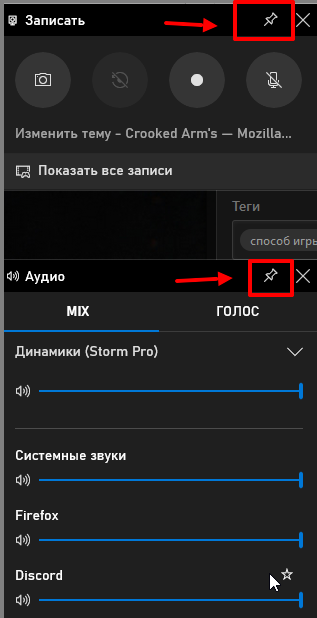
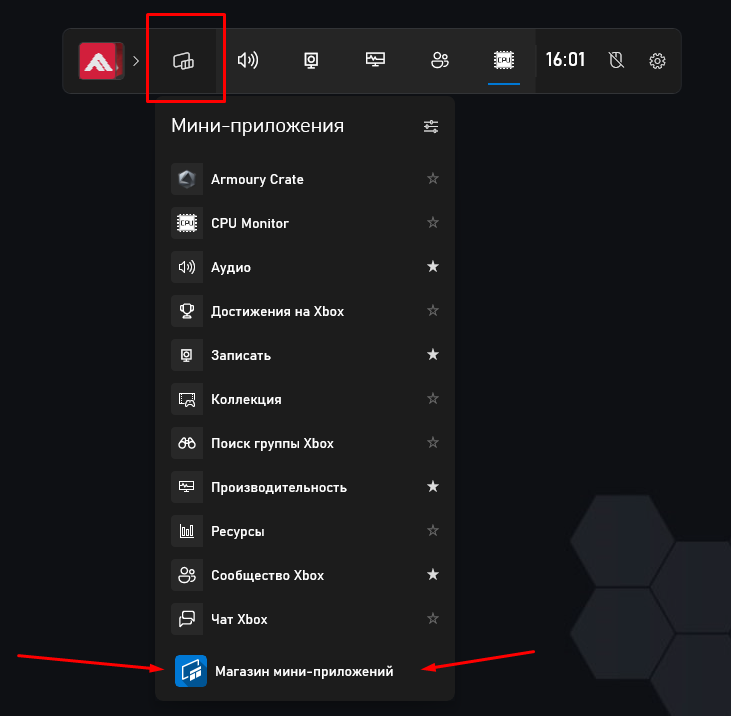
Method 1 xbox bar (Win +G):
Open xbox bar (Win + G)
****You can use any application whose window you can expand to fill the entire screen.
Let's show it using GPU Monitor as an example.
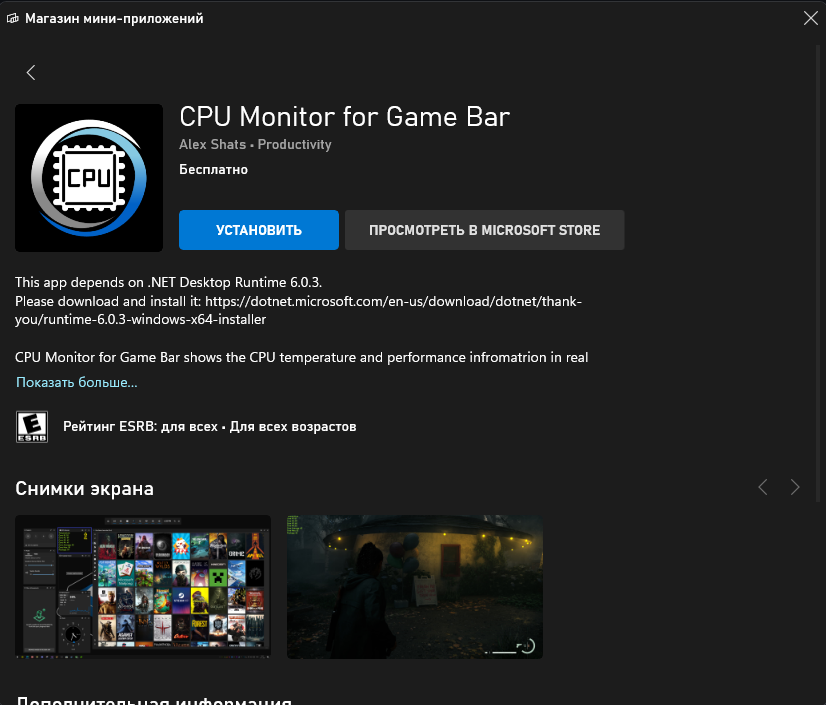
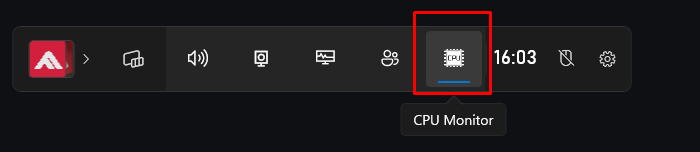
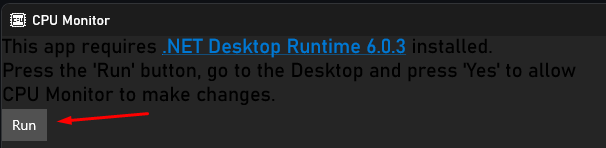
Select the GPU Monitor application we installed
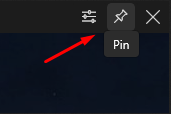
Stretch the window of this application to fill the entire screen and dock it
****you can also adjust the color, etc. through the parameters
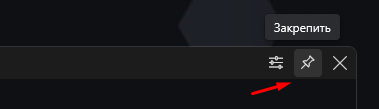
Disable following links (the icon should be crossed out)
***install as shown in the screenshot
After you have made all the settings for the xbox bar, let's move on to setting up and launching the software1. Launch the game, set your resolution and put the game in full screen (windowed full screen, borderless)
2. Close the game (restart your PC)
3. Launch the software
4. Launch the game
5. Open xbox bar (Win + G)
6. We turn on our mini program that should be attached
7. Close xbox bar (Win + G)
8. Enjoy the game
Method 2 xbox bar (Win +G):
- works if you have the xbox bar updated and have the ability to pin)
Reference link https://www.windowscentral.com/xbox-game-bar
- Inject according to the instructions;
- We start the game in full screen;
- Open the xbox panel (Win + G), and fix one of the mini-applications, for example "performance", make it completely transparent, only the percentage of occupied memory remains visible.
Method Win+ H:
- we inject according to the instructions,
- starting the game in full screen
- Click Win+ H and play ( to show the menu, press Win+ H )
Method: Using the Discord Overlay
Discord officially supports its overlay in only two display modes:
-
Windowed
-
Borderless Windowed
Because of this, the classic Exclusive Fullscreen mode often hides or disables the overlay.
What to do:
-
Launch your game.
-
Go to Settings → Graphics / Video.
-
Set the display mode to:
Borderless Windowed. -
Set the resolution equal to your monitor’s resolution (e.g., 1920×1080).
-
The Discord overlay should appear, and performance will be almost the same as in fullscreen.
Discord → Settings → Game Overlay — Check if the game is supported
Sometimes the overlay does not work because the game is not properly registered in Discord.
-
Open Discord → Settings.
-
Go to Game Overlay.
-
Make sure that In-Game Overlay is ON.
-
Then go to Registered Games.
-
Check the following:
-
The game is listed.
-
The overlay toggle next to the game is enabled.
-
If the game isn't listed → add it manually using "Add it!".
Method 4 :
- Windows -> Conferences -> Screen Demonstration
Method 5 :
- Nvidia Experience -> Screen Recording (With Desktop protection disabled)
Method 6 :
HOW TO PLAY FULLSCREEN/FULLSCREEN BORDERLESS VIA OVERWOLF.
You need to download a program called "Overwolf" http://storecdn5.overwolf.com/ once directed to this link you need to download the following software, click on "DOWNLOAD OVERWOLF" at the top right of the screen.
1) Inject according to the instructions, as usual.
2) Make sure Overwolf is running.
3) Go into the settings in Overwolf
4) Direct yourself to "Overlays & Hotkeys" and make sure the overlay is ENABLED for whatever game you're playing (Some games such as BF2042, aren't added too there list) so therefore the fullscreen/fullscreen borderless may not work then.
5) Launch the game, and then you can go from Windowed mode too Fullscreen or Fullscreen borderless.
6) After you've enabled the overlay's.. you only need to RUN Overwolf everytime you launch the game or it won't make it go into fullscreen or fullscreen borderless
I know for a fact this works for Modern Warfare / Warzone cause I've been currently in the mode of testing this method for about a week now and I haven't had any troubles.
WORKS FOR WARZONE 100%
**Unfortunately, these methods do not work for everyone!!!
[Русский]
Спойлер✅ Поддерживаемые версии окна
Windows 11 24H2 (26100) и 25H2 (26200)
-
🔹 В окне (Windowed)
-
🔹 В окне без рамки (Windowed Borderless)
-
❗ Полноэкранный режим (Fullscreen) не поддерживается
⚠️ Остальные версии Windows
1903 (18362), 1909 (18363), 2004 (19041), 20H2 (19042), 21H1 (19043), 21H2 (19044), 22H2 (19045), 21H2 (22000), 22H2 (22621), 23H2 (22631)
-
🔹 В окне (Windowed)
-
❗ Полноэкранный режим (Fullscreen) не поддерживается
💡 Советы по использованию
-
📌 Примечание: Запустите игру в окне. При необходимости уменьшите разрешение окна игры, чтобы были видны границы.
-
⚠️ Обратите внимание, что мы не гарантируем 100% работоспособность на всех устройствах или версиях Windows.
🔗 Если хотите полноэкранный режим
Вы можете попробовать специальные способы запуска игры не в окне.
1 способ xbox bar (Win +G):
Открыть xbox bar (Win +G)
Переходим в магазин мини-приложений
***Вы можете использовать любое приложение, окно которого вы можете растянуть на весь экран.
Покажем это на примере GPU Monitor
Выбираем установленное нами приложение GPU Monitor
Растягиваем окно выбранного приложения на весь экран и закрепляем
***также можно через параметры настроить цвет и прочее
Отключите переход по ссылкам (значек должен быть перечеркнут)
***установите как показано на скриншоте
После того, как вы произвели все настройки панели xbox bar, перейдем к настройке и запуску софта.
1. Запустите игру, выставите ваше разрешение и поставьте игру в полный экран (в окно без рамок, без полей)
2. Закройте игру (перезапустите ПК)
3. Запустите софт
4. Запустите игру
5. Откройте xbox bar (Win +G)
6. Включите мини программу которая должна быть закреплена
7. Закройте xbox bar (Win +G)
8. Приятной игры
Способ xbox bar (Win +G):
- Работает если у вас xbox bar обновлен и есть возможность закрепа)
Ссылка для ознакомления https://www.windowscentral.com/xbox-game-bar
- Запускаем софт по инструкции
- Запускаем игру в полноэкранном режиме
- Открываем xbox bar (Win +G),
- Закрепляем один из (мини-приложений(Bar'ов)), к примеру закрепим "производительность" вывели RAM, и сделали полностью прозрачной, остались видны лишь проценты занятой памяти
Способ Win+ H:
- Запускаем софт по инструкции
- Запускаем игру в полноэкранном режиме
- Нажимаем Win+ H и играем ( чтобы показывало меню нажмите Win+ H )
Способ: Использовать Discord Overlay
Discord официально поддерживает оверлей только в двух режимах:
-
Windowed (оконный)
-
Borderless Windowed / Окно без рамок
Поэтому классический «чистый» полноэкранный режим (Exclusive Fullscreen) часто скрывает оверлей.
Что делать:
-
Запустите игру.
-
Перейдите в Настройки → Графика / Видео.
-
Установите режим отображения:
Окно без рамок / Borderless Windowed. -
Разрешение поставьте равным вашему монитору (например, 1920×1080).
-
Оверлей Discord появится + производительность почти как в полноэкранном режиме.
Discord → Settings → Game Overlay Проверить поддержку игры
Иногда оверлей не работает из-за того, что игра не добавлена в список.
-
Discord → Настройки
-
Game Overlay
-
Убедитесь, что включено:
-
In-Game Overlay ON
-
-
Перейдите в Registered Games
-
Убедитесь, что:
-
игра есть в списке
-
напротив неё оверлей включён
-
Если нет → добавьте вручную через «Add it!».
3 способ :
- Windows -> конференции -> Демонстрация экрана
4 способ :
- Nvidea Expirence -> Запись экрана (С отлюченной защитой рабочего стола)
5 способ :
- Через OVERWOLF
Вам необходимо скачать программу под названием "Overwolf" http://storecdn5.overwolf.com/ после перехода по этой ссылке вам необходимо скачать следующую программу, нажмите "СКАЧАТЬ OVERWOLF" в правом верхнем углу экрана.
- Запускаем софт по инструкции, как обычно.
- Убедитесь, что Overwolf запущен.
- Заходим в настройки в Overwolf
- Перейдите к «Оверлеи и горячие клавиши» и убедитесь, что оверлей ВКЛЮЧЕН для любой игры, в которую вы играете (некоторые игры, такие как BF2042, также не добавлены в этот список), поэтому полноэкранный режим/полноэкранный режим без полей может не работать. .
- Запустите игру, а затем вы можете перейти из оконного режима в полноэкранный режим или в полноэкранный режим без полей.
- После того, как вы включили оверлей... вам нужно только ЗАПУСКАТЬ Overwolf каждый раз, когда вы запускаете игру, иначе она не перейдет в полноэкранный режим или в полноэкранный режим без полей.
Я точно знаю, что это работает для Modern Warfare / Warzone
** к сожалению данные способы работают не у всех!!! -
-
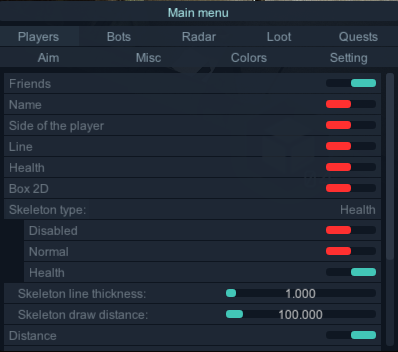
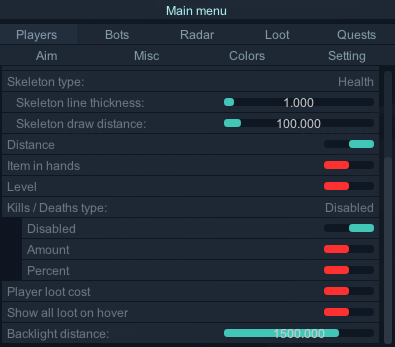
Players
Name (Имена )
Side of the player ( сторона игрока Usec , Bear)
Line (линии)
Box 2D (2д бокс)
Skeleton type:
Disabled ( отключить)
Normal (в зависимости от цвета игрока)
Health ( с проверкой здоровья конечностей)
Skeleton line thickness: (толщина линии скелета)
Skeleton draw distance (дистанция подсветки скелета)
Distance ( дистанция до игрока)
Friends ( подсветка твоей группы)
Item in hands ( предмет в руках)
Player loot cost (стоимость всего лута игрока)
Show all loot on hover ( показать весь лут игрока при наведении на него)
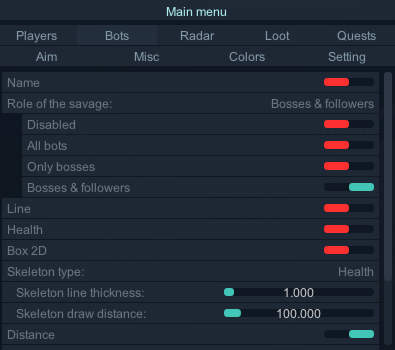
Backlight distance: от 1м до 2000мBots
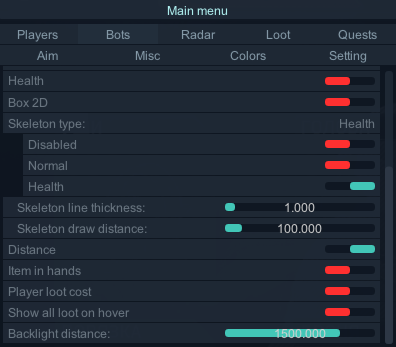
Name (Имена )
Line (линии)
Box 2D (2д бокс)
Skeleton type:
Disabled ( отключить)
Normal (в зависимости от цвета игрока)
Health ( с проверкой здоровья конечностей)
Skeleton line thickness: (толщина линии скелета)
Skeleton draw distance (дистанция подсветки скелета)
Distance ( дистанция до бота)
Item in hands ( предмет в руках)
Player loot cost (стоимость всего лута игрока)
Show all loot on hover ( показать весь лут бота при наведении на него)
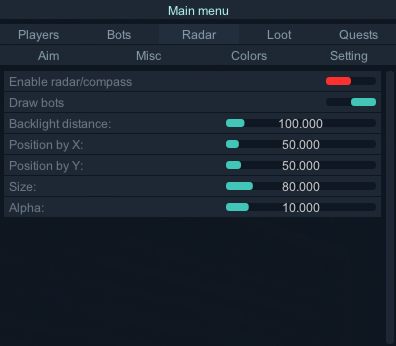
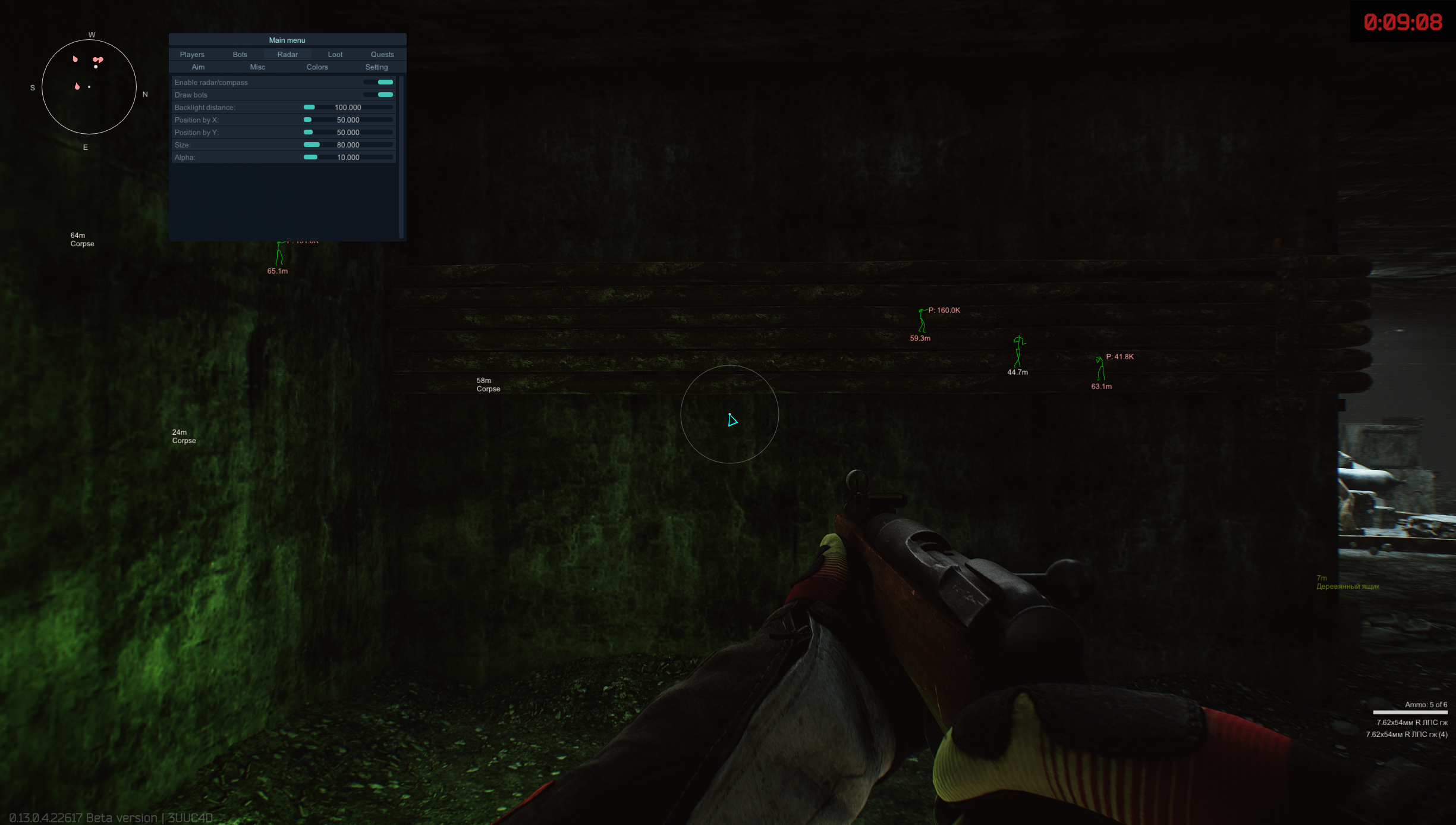
Backlight distance:Radar
Enable radar/compass
Draw bots
Backlight distance:
Position by X:
Position by Y:
Size:
Alpha:Loot
Open loot list:
Barter (предметы бартера)
Mods ( модули оружия)
Ammo ( патроны)
Specials ( ключи, ключкарты, мультитул и т.д)
Equipment (экипировка)
Weapons ( оружие)
Money ( деньги)
Quest (квестовые предметы)
Food ( еда, вода)
Meds ( медицина)
Info subjects ( флешки и т.д)
Containers ( контейнеры)
Lootable (Boxes, jackets, barrels) (ящики, куртки,сумки и т.д)
Corpse (трупы)
Other ( предметы без категории)
Selected ( выбранные предметы)Sort loot list type:
Name (сортировать список по имени)
Price (сортировать список по цене)
Loot setting type
Distance (настройка дистанции до предмета)
Price (настройка минимальной цены предмета)Loot update time (часто обновления лута в луте)
Loot position update time ( частота обновления позиций лута)
Player loot update time (часто обновления лута у игрока)
Search selected loot on players (искать выбранный лут в луте игрока)
Show all loot on hover (показать все предметы в трупе или контейнерах)
Mark items found in a raid (отмечать предметы, найденные в рейде)
Loot type (выводить тип предмета перед именем)
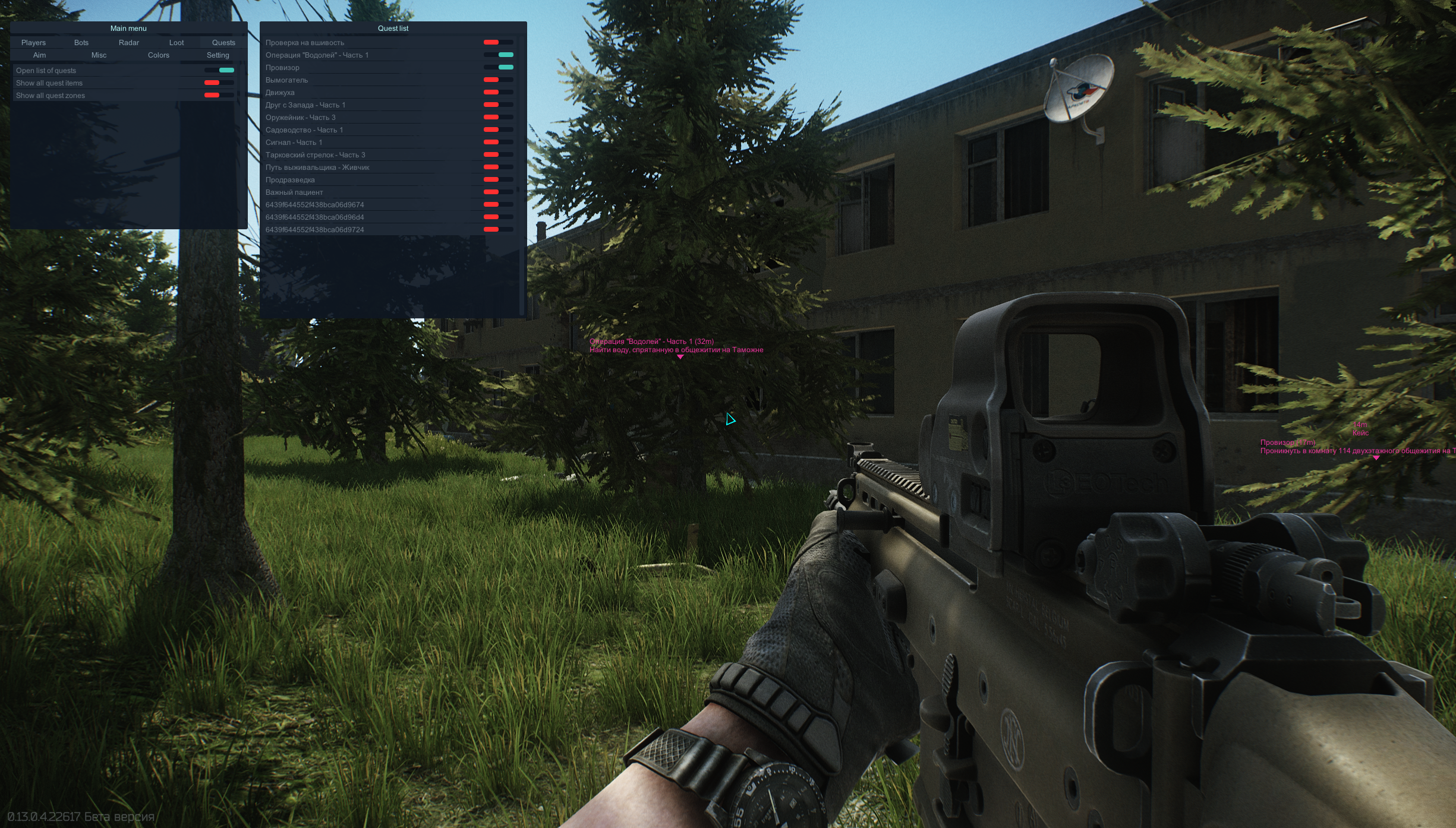
Loot price (выводить цену предмета после имени)Quests
Open list of quests
Show all quest items
Show all quest zonesAim
Enable aimbot (включить аим)
Visibility check (учет стен)
Do not aim at my group ( не наводить на свою группу)
Do not aim the wild (for the wild) ( не наводить на диких играя за дикого)
Aim type:
Mouse movement ( передвижение мыши)
Sight movement ( передвижение прицела)
Silent movement ( бесшумный аим)
Aim priority:
Distance ( приоритет по дистанции)
Crosshair ( приоритет ближайшего прицела)
Control radius ( радиус контроля для Mouse movement )
Draw fov circle ( рисовать кружок Fov)
Fov (настройка Fov)
Distance (максимальная дистанция до врага)
Enable prediction (Only online) ( предсказание движения, работает только в онлайн режиме)
Draw aim prediction ( рисовать кружок предсказания)
Bones selection (Players): ( выбор кости . вы можете выбрать 1 кость или несколько костей)
Head ( голова)
Neck ( шея)
Left elbow ( Левый локоть)
Right elbow ( Правый локоть)
Body ( тело)
Pelvis ( пах)
Left knee ( левое колено)
Right knee ( провое колено)
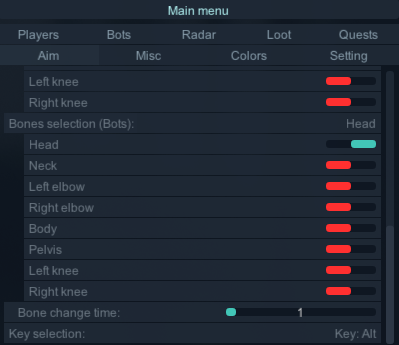
Bones selection (Bots): ( выбор кости . вы можете выбрать 1 кость или несколько костей)
Head ( голова)
Neck ( шея)
Left elbow ( Левый локоть)
Right elbow ( Правый локоть)
Body ( тело)
Pelvis ( пах)
Left knee ( левое колено)
Right knee ( провое колено)
Bone change time ( частота смены костей)
Key selection ( выбор клавиши для работы аима)Misc
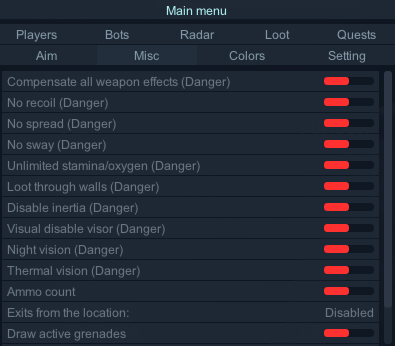
Compensate all weapon effects ( компенсировать все негативные эффекты на оружии)
No recoil ( отключить отдачу)
No spread ( отключить разброс)
No sway ( отключить покачивание камеры)
Unlimited stamina/oxygen ( бесконечная выносливость, бесконечная задержка воздуха)
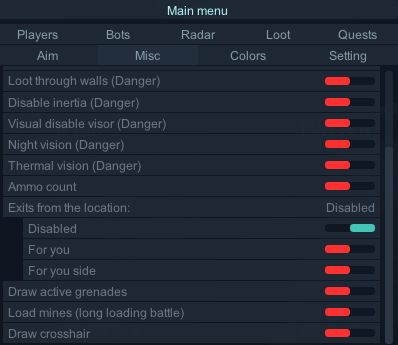
Loot through walls (Danger)(лутание через стены)
Disable inertia (Danger) (отключение инерции)
Visual disable visor ( убрать забрало у шлема)
Night vision ( ночное видение)
Thermal vision (тепловизор)
Ammo count (колличество патронов и полное их описание)
Exits from the location (подсветка выхода с локации и их статус)
Draw active grenades (подсветка активных гранат)
Load mines (long loading battle)(distance < 100m) (подсветка мин на дистанции менее 100м))
Draw crosshair (рисовать перекрестие)Colors Широкий выбор цветовой палитры
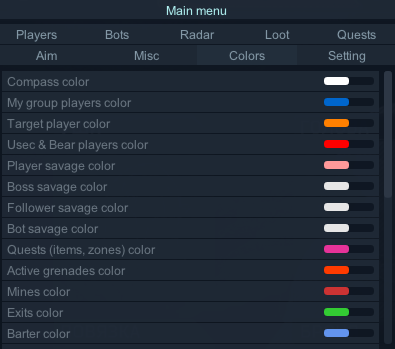
My group players color
Target player color
Usec & Bear players color
Player savage color
Boss savage color
Bot savage color
Barter color
Mods color
Ammo color
Specials & Keys color
Equipment color
Weapons color
Money color
Quest color
Food color
Meds color
Info Subject color
Containers color
Boxes, jackets, barrels color
Corpse color
Other loot color
Selected loot colorSetting
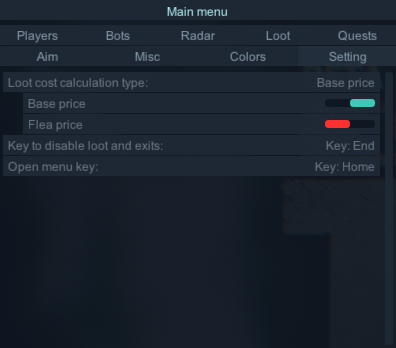
Loot cost calculation type
Base price
Flea price
Key to disable loot and exits ( кнопка для быстрого отключения показа лута и выходов)
Open menu key ( кнопка вызова меню)Менюшка
Спойлер
Моменты игры
Спойлер
Видео фрагменты
Спойлер
-
Инструкция на двух языках (русская и английская) | Instructions in two languages (Russian and English)
The video shows a demo view of the launch and so on
A more detailed launch is spelled out in the text instructions below the videoВ видеоролике продемонстрирован демонстрационный вид запуска и прочее Более детальный запуск прописан в текстовой инструкции ниже видеоВерсия 2
Спойлер[English] Launch Instructions
We remind you that you must understand what you are doing when playing with the software !!!
- You purchase and use the software at your own risk.
- The Undetected status does not guarantee 100% protection against blocking (with any cheat in any game, a ban is possible).
- If the update is in the game, wait for the software update.
- By purchasing this software, you agree with the rule that in case of a defect or complete closure of the project, you will not receive a refund!
- By purchasing this software, you agree to the rule that if you block the game account, you will not receive a refund!
This software uses unique identifiers of your " hardware"
- 1 account =1 PC ( Example: when you first start the program, your account is linked to the current PC, further use of the same account on another PC is not possible)
- if you do use a spuffer.. first log in to the launcher, and then launch the spoofer( you need to restart your PC before that)
- If you are using a spoofer, disable it and restart the computer
- Error "Hardware component has changed"
SYSTEM REQUIREMENTS:
- Supported processors: Intel, AMD
- Supported OS: Windows 10- 11 x64
- Supported builds: 1903(18362), 1909(18363), 2004(19041), 20H2 (19042), 21H1(19043), 21H2(19044), 22H2 (19045), 21H2 (22000), 22H2 (22621), 23H2 (22631)
** How to find it ...
   Press the key combination Win + R, insert the WINVER command into the field, and press Ok.
Additional Information:
Project Type: External
Game Mode: Windowed
How to run in full screen? Read here: Read moreSupported anti-cheats: BattleEye
Support for invisibility on videos or screenshots, screen demonstrations: YesHWID SPOOFER - Not built into the software! Purchased separately!
* The performance of the cheat with other SPOOFER is not guaranteed!!!If you have played with other software before, then you need to restart your computer
Scale in the system and in the game : 100%
Disabling Automatic RAM Cleanup
-
Go to the Settings section in the game.
-
Find the option “Automatic RAM Cleanup.”
-
Make sure the checkbox next to this option is unchecked (the feature should be disabled).
For the software to work correctly, you need to install and remove a number of programs
СпойлерIt is recommended to install
- Redistributable packages Visual C++ 2008-2019
- DirectX
DISABLE or REMOVE MANDATORY
- Disable antivirus( Remove!!! )
- Disable SmartScreen How to disable
- Disable Windows Defender How to disable
Additionally
- Remove FaceIt and Vanguard How to disable
FaceIt this is anti-cheat CS:GO
Vanguard this is anti-cheat Valorant
Additionally (if an error occurs)
- Enable VT-x, SVM in BIOS
- Disable Hyper-V
- Disable Secure boot in BIOS
- Please,change boot mode to UEFI in BIOS
Launch Instructions
IMPORTANT ignoring these actions will lead to a ban!!!
- Before starting the cheat, close the Game and the game launcher!
- If you have previously run any cheats, restart your PC! (restart pc before using another cheat)
- Close the software launcher before launching the game!
- If you neglect one of the actions, you can get banned!
- Running the software, you need a flash drive (virtual or physical)
START-UP INSTRUCTIONS
Read the instructions carefully!!
**remove the old software launcher from the PC
- Download the launcher and put it on a flash drive!!!
- Launch Launcher (from a flash drive!)
- Register in Launcher
- Activate key
Launcher Escape from Tarkov:
1. Launch the Launcher (from a flash drive!)
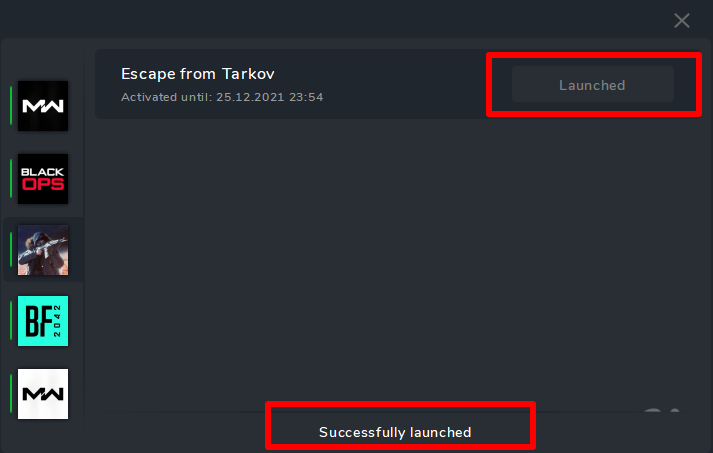
2. Select software Escape from Tarkov and click Launch3. In case of successful completion, the successfully launched message and the Launched button will appear
* If something goes wrong, you will receive an error and the cheat will not be loaded into the system!
4. Close Launcher**disconnect the flash drive (make sure it is disconnected!!!)
5. Start the game
6. The cheat menu opens with the "HOME" key
7. Enjoy your game.СпойлерIf you launched the program, but there is no menu, then you did not follow the instructions.
1. Check the system requirements for the software.
2. Check whether the software launched successfully.
3. Check the window mode requirements.
4. Check that all instructions have been followed.
5. Read the instructions, restart your PC and try again.If you follow everything written in the instructions, this is a 100% guarantee of successful launch of the software.
- The menu is not called up using the HOME key** try launching the on-screen keyboard (so that you have a different key combination).
IF YOU HAVE SOMETHING THAT DOES NOT START, CONTACT YOUR SELLER FOR HELP.
[Русский] Инструкция по запуску
Напоминаем что вы должны понимать на что идете играя с софтом!!!
- Софт вы приобретаете и используете на свой страх и риск.
- Статус Undetected не гарантирует 100% защиту от блокировок(с любым читом в любой игре возможен бан).
- Если обновление в игре дождитесь обновления софта.
- Покупая данное ПО, вы соглашаетесь с правилом, что при детекте или полном закрытии проекта вы не получите возврат денежных средств!
- Покупая данное ПО, вы соглашаетесь с правилом, что при блокировке игрового аккаунта вы не получите возврат денежных средства!
Данное ПО использует уникальные идентификаторы вашего "железа"
- 1 учетка =1 пк ( Пример: при первом запуске программы ваша учетная запись привязывается к текущему ПК, дальнейшее использование той же учетной записи на другом ПК не возможно)
- Если вы используете спуфер отключите его и перезапустите компьютер
- Если вы всё-таки используете спуфер.. сначала авторизовываетесь в лаунчере, а потом запускаете спуфер( требуется перед этим перезагрузка пк)
- Ошибка "Hardware component has changed"
Требования к системе:
Поддерживаемые процессоры: Intel, AMD
Поддерживаемые ОС: Windows 10-11 х64
Поддерживаемые сборки: 1903(18362), 1909(18363), 2004(19041), 20H2 (19042), 21H1(19043), 21H2(19044), 22H2 (19045), 21H2 (22000), 22H2 (22621), 23H2 (22631)**Как ее узнать.... Нажимаем сочетание клавиш Win+R, вставляем в поле команду WINVER , и нажимаем Ok.
Дополнительная информация:
Тип проекта: External
Режим игры: ОконныйКак запустить в полном экране? Читаем тут Подробнее
Поддерживаемые анти-читы: BattleEye
Поддержка невидимости на видео или скриншотах, демонстрации экрана: ДаHWID SPOOFER - В софт не встроен! Покупается отдельно!
*Работоспособность чита с другими спуфферами не гарантируется!!!
Если вы до этого играли с другим читом, то нужно перезагрузить ПК
Масштаб в системе и в игре: 100%
Отключение автоочистки оперативной памяти
-
Перейдите в раздел настроек в игре .
-
Найдите пункт «Автоочистка оперативной памяти».
-
Убедитесь, что галочка рядом с этим пунктом снята (функция должна быть отключена).
Для корректной работы софт необходимо установить и удалить ряд программ
СпойлерРекомендуется установить
- Распространяемые пакеты Visual C++ 2008-2019
- DirectX
ОТКЛЮЧИТЬ или УДАЛИТЬ ОБЯЗАТЕЛЬНО
-
Отключить антивирус (Удалить!!!)
-
Отключить SmartScreen
-
Отключить защитник Windows
Дополнительно
- Удалить FaceIt и Vanguard подробнее
FaceIt - это отдельный античит игры CS:GO
Vanguard - это античит игры Valorant
Дополнительно (при возникновении ошибки)
- Включить VT-x , SVM в BIOS
- Отключить Hyper-V
- Отключить Secure boot в BIOS
- Please,change boot mode to UEFI in BIOS
ВАЖНО Пренебрежение данных действий может привести к бану!!!
- Перед запуском чита закройте Игру и лаунчер игры!
- Если вы ранее запускали какие-либо читы, перезагрузите свой компьютер!(перезагрузите компьютер перед использованием другого чита)
- В случае пренебрежения одного из действий вы можете получить бан!
- Закрыть лаунчер софта перед запуском игры!
- Запуск софта с флешки (виртуальной или физической)
ИНСТРУКЦИЯ ПО ЗАПУСКУ
Прочтите внимательно инструкцию!!
**удалите старый лаунчер софта с ПК
- Скачать лаунчер и поместить его на флешку!!!
- Запустить Launcher (с флешки)
- Зарегистрироваться в Launcher
- Активировать ключ
Запуск Escape from Tarkov
Запустите Launcher (с флешки!!!)
2. Выберите софт Escape from Tarkov и нажмите Launch
3. В случае успешного выполнения появится сообщение successfully launched и кнопка Launched
* Если что то пойдет не так вам выдаст ошибку и чит не будет загружен в систему!
4. Закроейте Launcher
отсоединить флешку ( убедиться что она отключена!!!)
5. Запустите игру
6. Меню чита открывается клавишей "HOME"
7. Приятной игры.СпойлерЕсли у вас инжект удачный, но нет меню то :
Если вы запустили программу, но меню нет, то вы не следовали инструкции.
1. Проверьте системные требования для ПО.
2. Проверить успешность запуска ПО.
3. Проверить требования к режиму окна.
4. Проверить все ли инструкции соблюдены.
5. Прочтите инструкцию, перезапустите ПК и повторите запуск.
При соблюдении всего, что написано в инструкции, это гарантия успешного запуска ПО на 100%.- Меню не вызывается по клавише HOME** попробуйте запустить экранную клавиатуру (чтобы у вас была другая комбинация клавиш).
ЕСЛИ У ВАС, ЧТО-ТО НЕ ЗАПУСКАЕТСЯ, ОБРАТИТЕСЬ К СВОЕМУ ПРОДАВЦУ ЗА ПОМОЩЬЮ.
Еrror | Ошибки
Спойлер -
Инструкция на двух языках (русская и английская) | Instructions in two languages (Russian and English)
Software price for Escape from Harkov
1 day: 800 rubles 3 day: 2200 rubles 14 days: 6000 rublesФункционал | Functional (clickable)
System requirements:Supported Processors: AMD, INTEL
Supported OS: Windows 10–11 x64
Supported Builds:1903(18362), 1909(18363), 2004(19041), 20H2(19042), 21H1(19043), 21H2(19044), 22H2(19045), 21H2(22000), 22H2(22621), 23H2(22631), 24H2(26100), 25H2(26200)Check your Windows build: Press Win + R Type WINVER → Press OK
Additional Information:
Project type: External
Game mode: Windowed*
*How to run in fullscreen — read here
Scale in system and game: 100%
Screen format: Auto
Supported game versions: Steam, Game Launcher
Support for invisibility in video/screenshots/screen sharing,demonstrations: Yes
Required: Enable virtualization in BIOS (SVM, VT-x, VT-d)
Required: Disable Hyper-V — read here
Run from flash drive: Yes
HWID Spoofer:-
❗ Not included, purchased separately.
-
⚠️ Performance with other spoofers is not guaranteed.
[Русский] Информация и технические требованияСпойлерТребования к системе:
Поддерживаемые процессоры: Intel, AMD
Поддерживаемые ОС: Windows 10-11 х64
Поддерживаемые сборки: 1903(18362), 1909(18363), 2004(19041), 20H2(19042), 21H1(19043), 21H2(19044), 22H2(19045), 21H2(22000), 22H2(22621), 23H2(22631), 24H2(26100), 25H2(26200)**Как ее узнать.... Нажимаем сочетание клавиш Win+R, вставляем в поле команду WINVER , и нажимаем Ok.
Дополнительная информация:
Тип проекта: External
Режим игры: Оконный*
*Как запустить в полноэкранном режиме — read here
Совместимость: Работает в игре Arena Breakout: Infinite
Масштаб в системе и игре: 100%
Формат экрана: Авто
Поддерживаемые версии игры: Steam, Game Launcher
Поддержка невидимости на видео или скриншотах, демонстрации экрана: Да
Требуется: Включить виртуализацию в BIOS (SVM, VT-x, VT-d)
Требуется: Отключить Hyper-V — read here
Запуск с флеш-накопителя: Да
Важно!
HWID SPOOFER - В софт не встроен! Покупается отдельно!
Совместимость данного ПО с другими спуферами не гарантируется.
🛒 Наши магазины / Our Stores
Методы оплаты / Payment Methods:
-
FK, СБП, Карта, WebMoney, UnionPay, Alipay, Turkish Bank Card, PIX, BTC, Litecoin и множество других способов оплаты / and many other payment options
-
Методы оплаты / Payment Methods: BTC, Litecoin
⚠️ Если у вас возникнут вопросы по оплате или нужны другие варианты оплаты, не представленные на сайтах — обращайтесь к нам через создание тикета в канале.
⁉️ If you have any questions about payment or need other payment options not listed on the sites, please contact us by creating a ticket in the channel.Создайте тикет в discord в разделе ( 🎫-𝙎𝘼𝙇𝙀𝙎-𝙏𝙄𝘾𝙆𝙀𝙏𝙎) | Create a ticket in the discord section ( 🎫-𝙎𝘼𝙇𝙀𝙎-𝙏𝙄𝘾𝙆𝙀𝙏𝙎)
💬 Наш Discord / Our Discord: Войти в Discord / Join Discord
⁉️ После покупки вы получите ключ и ссылку на инструкцию, которая содержит все рекомендации и пошаговые инструкции.
⁉️ After purchase, you will receive a key and a link to the instructions, which include all recommendations and step-by-step guidance.
📞 По вопросам сотрудничества / For Partnership Inquiries
Telegram: lisi4ka138
-
1
-
-
if you can't buy the software in our store:
[Русский]
Если вы не можете купить программу в нашем магазине
Создайте тикет в discord в разделе ( 🎫-𝙎𝘼𝙇𝙀𝙎-𝙏𝙄𝘾𝙆𝙀𝙏𝙎)
Discord: https://discord.gg/49JGayjvex
[English]
If you can't buy the program in our store:
Create a ticket in the discord section ( 🎫-𝙎𝘼𝙇𝙀𝙎-𝙏𝙄𝘾𝙆𝙀𝙏𝙎)
Discord: https://discord.gg/49JGayjvex
-
6 hours ago, fox said:
Кто-нибудь знает что делает
- Velocity time
- Velocity modifier
?
Не могу понять
-
Инструкция на двух языках (русская и английская) | Instructions in two languages (Russian and English)
для русской версии прокрутите вниз | for the Russian version, scroll down
Failed to launch 1
[English]СпойлерThis error means that not all the requirements of the instructions for the software are met!!
namely, defenders are not disabled, see antiviruses. the list is below
DISABLE or DELETE MANDATORY
-
Disable antivirus ( Remove!!! )
***after removing the antivirus, restart your PC
-
Disable SmartScreen
-
Disable Windows Defender
Additionally
- Remove FaceIt and Vanguard Read here: Read more
FaceIt - this is a separate anti-cheat game CS:GO
Vanguard - this is an anti-cheat game Valorant
*** If you had them before, check all traces that could remain
- Use VPN
[Русский]
SpoilerДанная ошибка означает что не все требования инструкции к софту выполнены!!
а именно не отключены защитники, антивирусы см. список ниже
ОТКЛЮЧИТЬ или УДАЛИТЬ ОБЯЗАТЕЛЬНО
-
Отключить антивирус (Удалить!!!)
*** после удаления антивируса перезагрузите ПК
-
Отключить SmartScreen
-
Отключить защитник Windows
Дополнительно
- Удалить FaceIt и Vanguard Читаем тут Подробнее
FaceIt - это отдельный античит игры CS:GO
Vanguard - это античит игры Valorant
*** Если они у вас были раньше, проверьте все следы, которые могли остаться
- Используйте ВПН
**Ссылки кликабельны
-










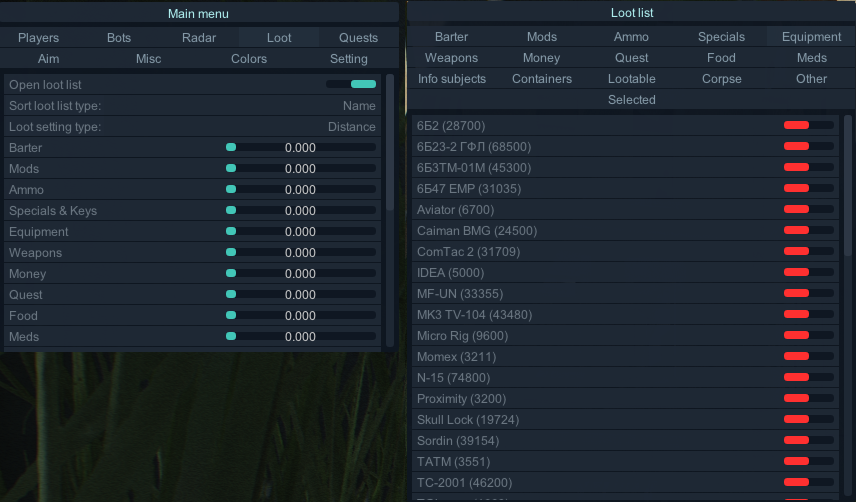
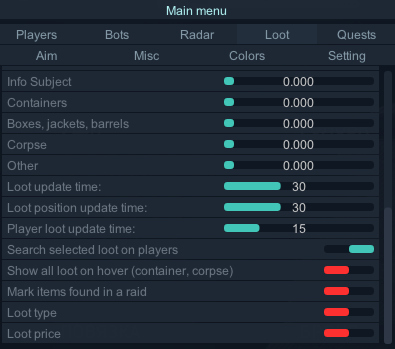
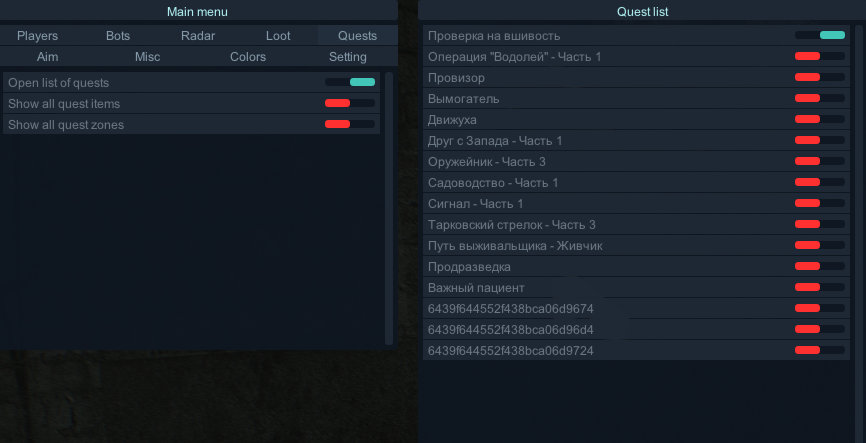
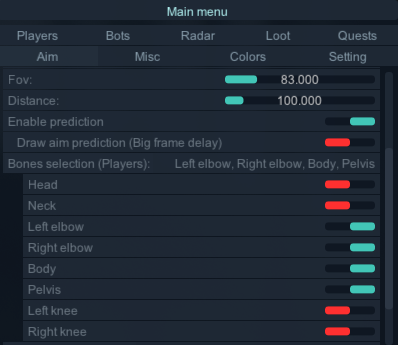
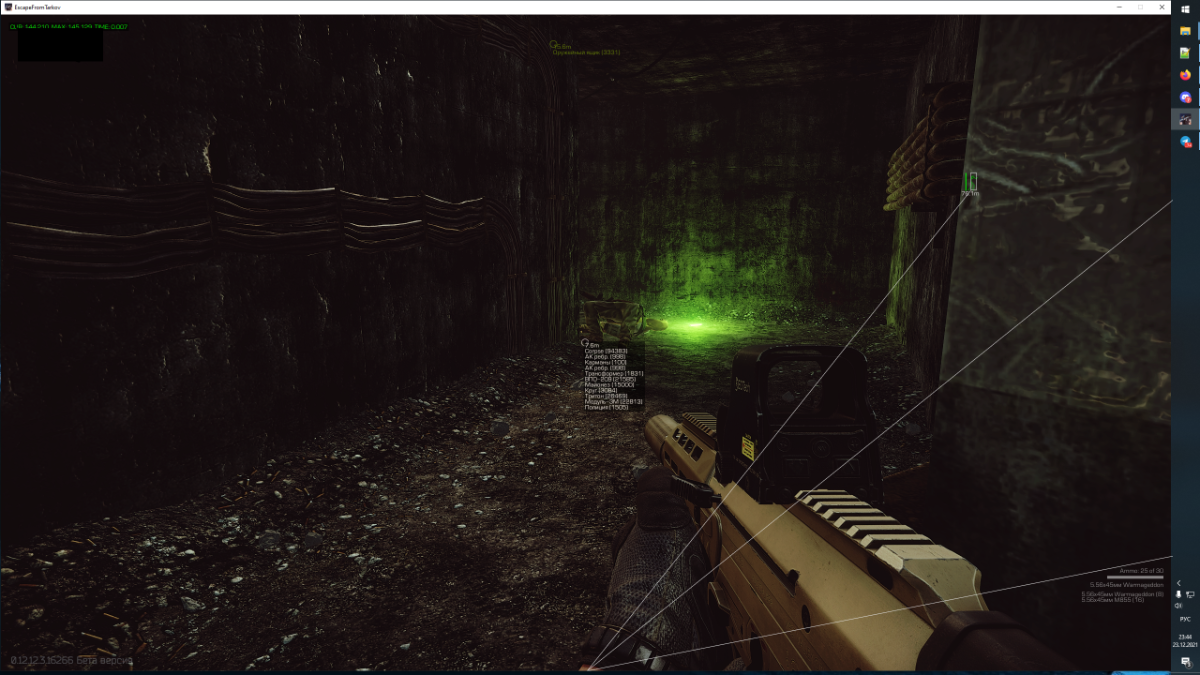

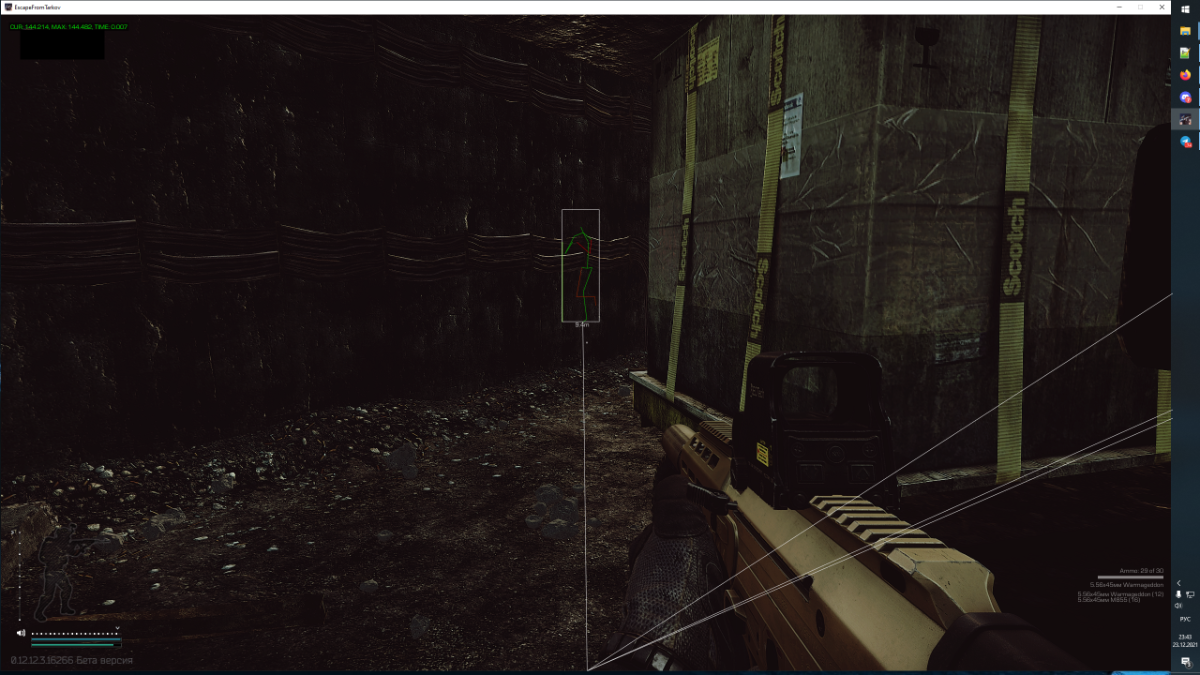
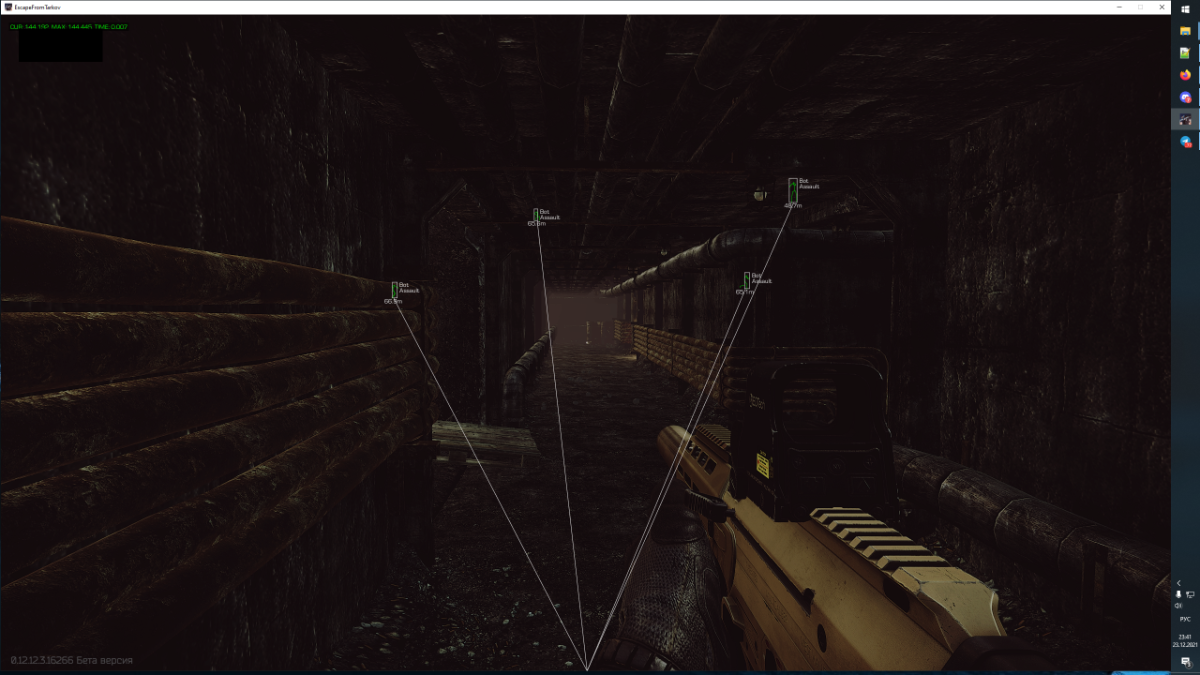
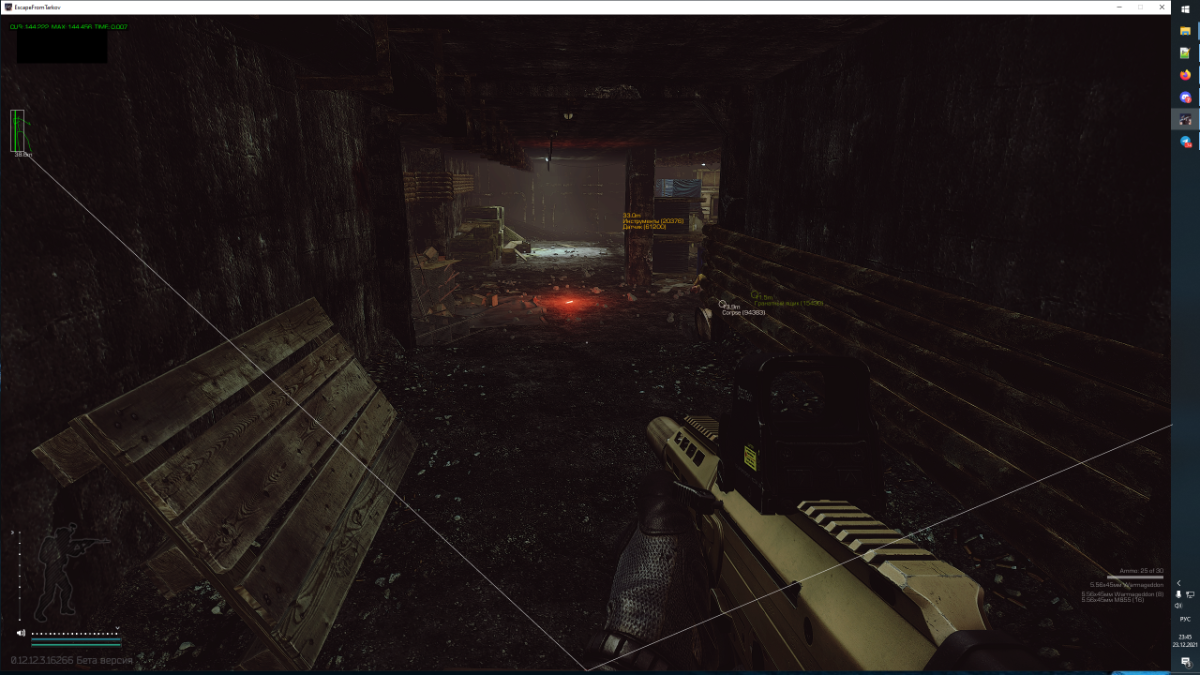
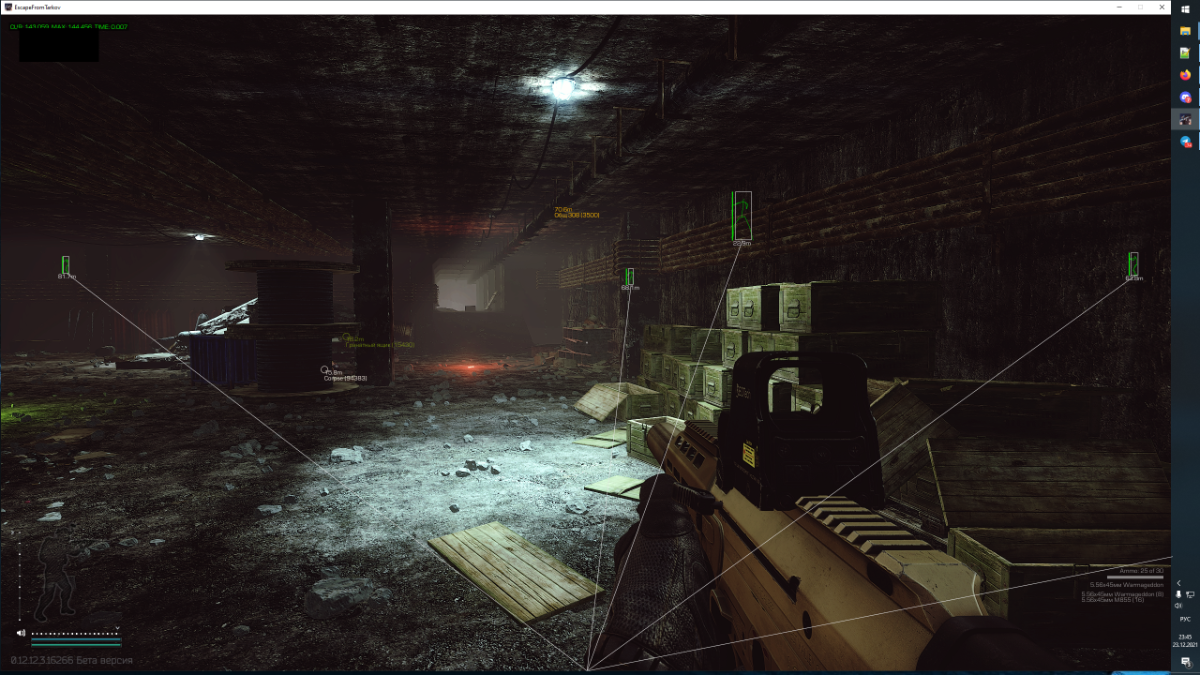

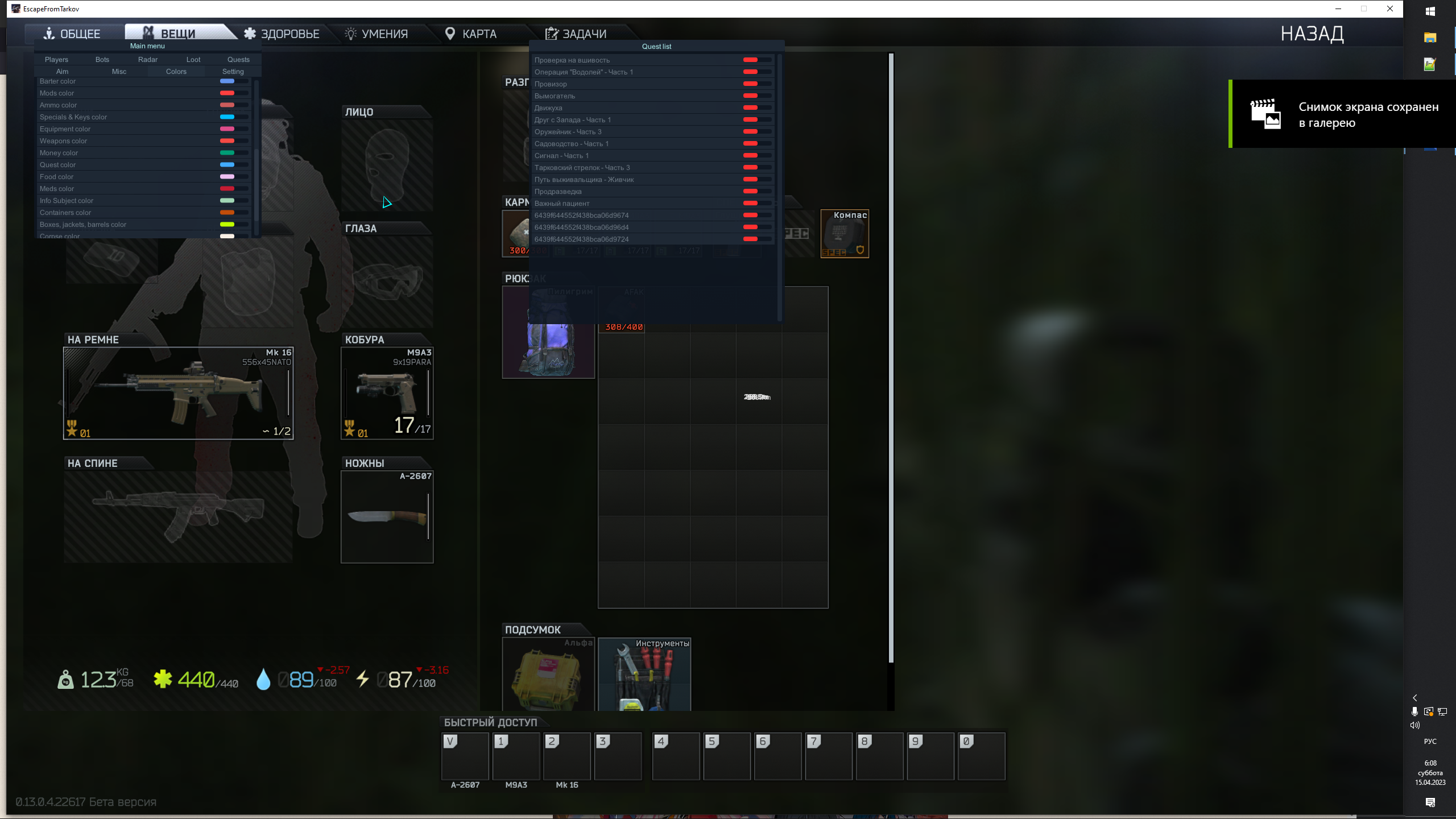



Setting up Loot / Настройка лута
in Setting up the cheat and describing the functionality
Posted
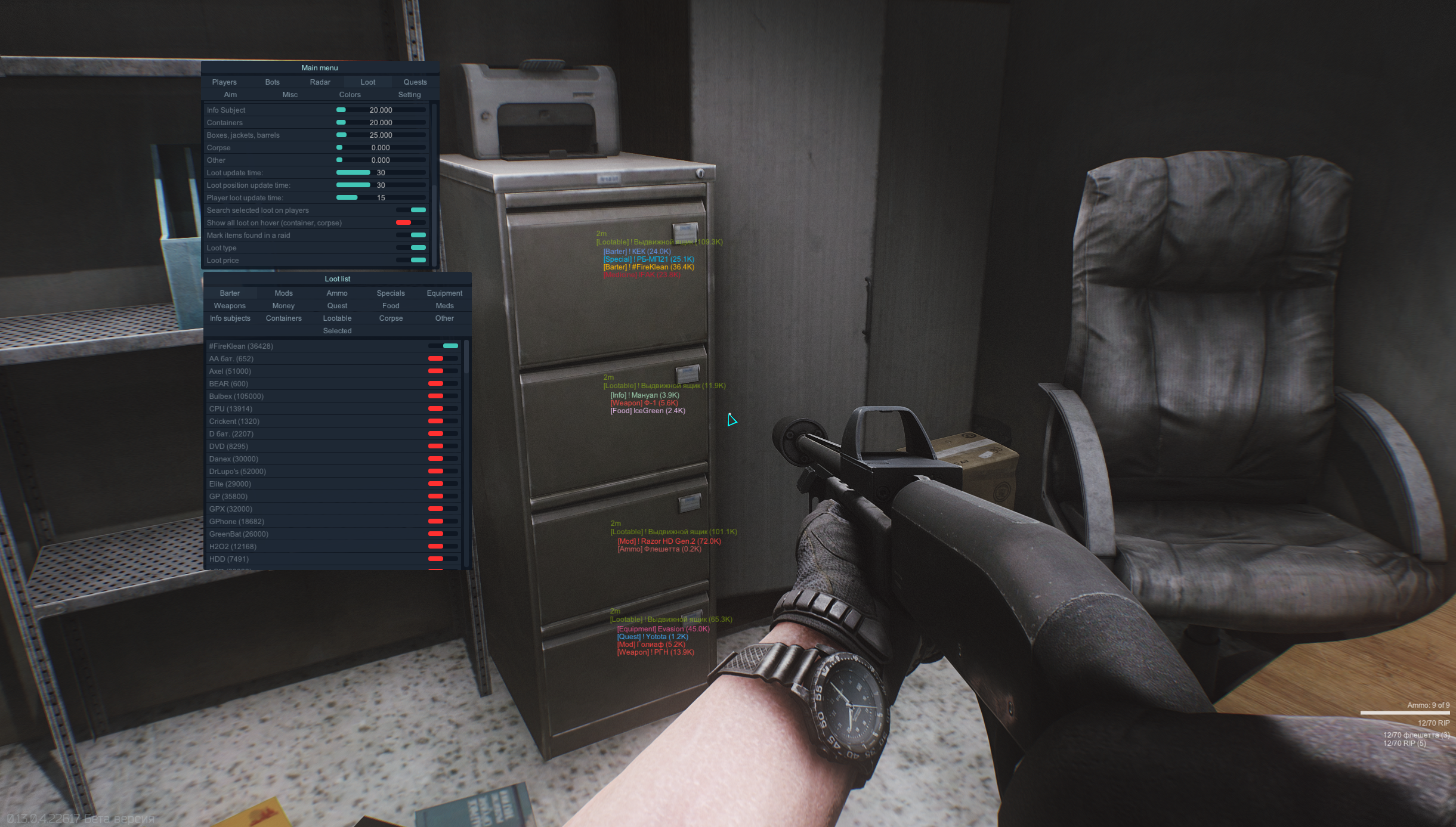
Все настройки лута сугубо индивидуальны
Loot
Open loot list:
Barter (предметы бартера)
Mods ( модули оружия)
Ammo ( патроны)
Specials ( ключи, ключкарты, мультитул и т.д)
Equipment (экипировка)
Weapons ( оружие)
Money ( деньги)
Quest (квестовые предметы)
Food ( еда, вода)
Meds ( медицина)
Info subjects ( флешки и т.д)
Containers ( контейнеры)
Lootable (Boxes, jackets, barrels) (ящики, куртки,сумки и т.д)
Corpse (трупы)
Other ( предметы без категории)
Selected ( выбранные предметы)
Sort loot list type:
Name (сортировать список по имени)
Price (сортировать список по цене)
Loot setting type
Distance (настройка дистанции до предмета)
Price (настройка минимальной цены предмета)
Loot update time (часто обновления лута в луте)
Player loot update time (часто обновления лута у игрока)
Search selected loot on players (искать выбранный лут в луте игрока)
Loot position update time ( частота обновления позиций лута)
Show all loot on hover (показать все предметы в трупе или контейнерах)
Loot type (выводить тип предмета перед именем)
Loot price (выводить цену предмета после имени)
Loot background (включить фон)
Есть 2 вкладки
Если вам нужно подсвечивать всю категорию вы должны выбрать ее в меню
Если нужно определенный объект то нужно выставить его loot list
Изменен принцип работы подсветки лута:
Теперь если у выбранной категории лута дистанция равна нулю, а цена больше нуля, то будет светится лут на всей карте с ценой больше или равное той что вы указали в меню.
Если дистанции больше нуля, а цена равно нулю, то будет светится лут на дистанцию меньше указаной в меню.
Если дистанция больше нуля и цена больше нуля, то будет светится лут с ценой больше или равной указаной цене в меню на дистанции меньше чем указано в меню